I know this topic makes some people uncomfortable right away. The moment they hear โmen wearing skirts,โ they stop listening and start reacting. But I think that reaction says more about culture than it does about truth. Yesย itย isย okย forย Christianย menย wearย skirts?ย Thisย articleย exploresย comfort,ย culture,ย andย whatย theย Bibleย saysย aboutย clothing,ย modesty,ย andย whyย Godย caresย mostย aboutย theย heart
I personally believe it is okay for men, Christian men especially to wear skirts.
And honestly, I think a lot of people who have a strong opinion about this have never stopped to ask a basic question. What is actually wrong with it?
For some men, wearing a skirt is not about trying to shock anyone. It is not about making a political statement. It is not about trying to blur every line in society. Sometimes it is much simpler than that. It is about comfort.
That should not be hard to understand. Skirts can be cooler, looser, and less restrictive than pants. If someone finds that more comfortable, why should that become a moral crisis?
I do not think it should.
A Lot of Our Clothing Rules Are Just Social Habits
Matthew 7:1-2 (NIV):ย “Judge not, that you be not judged. For with the judgment you pronounce you will be judged, and with the measure you use it will be measured to you”.
One thing that stands out to me is how often people treat modern fashion like it came straight down from heaven. It did not.
Clothing rules change all the time. They change by country, by era, and by culture. In one place, a garment is seen as normal for men. In another place, the same garment is seen as unusual. That alone should tell us something.
A lot of what we call โnormalโ is just what we are used to.
Men in Bible times did not wear jeans, khakis, or gym shorts. They wore tunics and robes. If someone saw those garments without any context today, they might call them dress-like. Yet no serious Christian would claim Jesus was doing something wrong because of the kind of clothing common in His time.
That is why I think people need to slow down before they turn modern clothing habits into spiritual law.
I Think Christians Should Be Very Careful Here
As a Christian, or even as someone thinking through Christian teaching, I believe this issue deserves honesty.
The Bible does talk about clothing, but not in the way people often assume. It cares about modesty. It cares about humility. It cares about not being deceptive. But over and over, Scripture points back to the heart.
That matters to me.
Jesus cared deeply about what was inside a person. He confronted pride, hypocrisy, greed, lust, cruelty, and hard-heartedness. He warned people not to judge by appearances alone. That seems very relevant here.
I do not believe a man becomes holy by wearing pants.
And I do not believe a man becomes sinful by wearing a skirt.
That may sound obvious, but apparently it needs to be said.
The Heart Is More Important Than the Outfit
One of the clearest truths in the Bible is that God sees the heart. People focus on the outside. God sees deeper.
That should humble us.
A man can dress in the most socially accepted way possible and still be full of arrogance, anger, and selfishness. Another man may wear something unusual and still have a sincere heart, a kind spirit, and real faith.
So why are people so quick to panic over the second man and often ignore the first?
That seems backwards to me.
I am not saying outward choices never matter. I am saying they matter less than many people think, and they should never replace deeper spiritual judgment.
Yes, I Know People Bring Up Deuteronomy 22:5
Whenever this topic comes up, someone mentions Deuteronomy 22:5. I understand why. If we are going to talk about clothing and the Bible, we should not ignore the hard passages.
But I also think people often use that verse in a way that is too quick and too shallow.
That command was given in an ancient setting with very different clothing customs. It was not written with modern Western wardrobes in mind. And it should not be treated like a simple slogan that settles every modern conversation without context.
If someone wants to take that verse seriously, they also need to take biblical history seriously. Men in the Bible wore garments that looked nothing like modern male fashion. That alone should make us more careful.
To me, the bigger concern in that verse seems tied to crossing lines in a deceptive or rebellious way, not merely wearing a garment that happens to be more comfortable.
Intent matters. Context matters. The whole message of Scripture matters.
I Think We Often Confuse Tradition With Truth
This may be the biggest issue of all.
People get attached to tradition. Then after enough time, they stop calling it tradition and start calling it truth.
That happens in churches. It happens in families. It happens in culture.
Sometimes a group gets so used to one way of doing things that they assume God must prefer it too. But that is a dangerous assumption.
I think men wearing skirts hits that nerve for a lot of people. It challenges a custom they never thought to question. And instead of admitting that the discomfort may be cultural, they call it biblical.
But those are not always the same thing.
If the Reason Is Comfort, I Do Not See the Problem
If a man wants to wear a skirt because it is cooler, less tight, and more comfortable, I do not see why that should be condemned.
Of course, like any clothing choice, it should still be modest and sensible for the situation. I am not arguing for foolishness. I am arguing for freedom where Scripture allows room.
Comfort is a real reason to choose certain clothes. We all do that already.
We pick shoes for comfort. We pick fabrics for comfort. We pick sleepwear for comfort. We pick workout clothes for comfort.
So why does the logic suddenly stop when a man says a skirt is more comfortable than pants?
That feels more like social fear than moral wisdom.
I Think Jesus Would Care More About How We Treat People
This is where I land most strongly.
I think Jesus would care far more about how we treat people than about whether a man wore a skirt for comfort.
Would He care if someone was cruel, self-righteous, mocking, or eager to shame others? Yes, I think He would.
Would He care if someone was humble, modest, honest, and sincere? Yes, I think He would.
That is why I cannot get worked up over this issue in the way some people do. It seems too small compared to the things Jesus clearly emphasized.
My Conclusion
So here is my honest view.
I believe it is okay for men to wear skirts.
I believe for many men it can simply be about comfort.
I believe Christians should be cautious about turning modern fashion expectations into biblical commands.
And I believe the Bible, especially through the teaching of Jesus, points us back to the heart.
That does not mean every person has to like it. It does not mean every man has to wear one. It does not mean all clothing choices are wise in every setting.
It just means we should be honest about what is truly biblical and what is merely cultural.
In my opinion, too many people confuse the two.
And when that happens, they end up judging fabric more harshly than they judge pride, hypocrisy, or lack of love.
That seems like exactly the kind of mistake Jesus warned us not to make.
Leads aren’t the problem for most service businesses, it’s what happens next. If you run HVAC, plumbing, cleaning, landscaping, pest control, or an electrical company, you’ve felt it, the phone rings, the form comes in, then the job never gets booked.
That gap gets expensive fast because every lead costs money and time. In many local service funnels, conversion rates often land around 2% to 5%, so small leaks can wipe out your week. Speed alone can swing results, replying within 5 minutes can drive far more bookings than waiting, and many customers hire the first company that responds.
The good news is you don’t need a new ad campaign to fix this. Most lost jobs come from a handful of repeat issues, slow follow-up, vague pricing, missed calls, weak trust signals, and an estimate process that drags on.
In this post, you’ll see the five biggest reasons leads don’t turn into booked jobs, plus simple fixes you can apply this week to tighten your process and win more work from the leads you already have.
Reason one: You don’t respond fast enough (and the first company to reply often wins)
Missed calls stack up fast when you are on the road, and most callers will not wait.
In service businesses, speed is trust. When someone has a leaking water heater, a dead AC, or a lock that will not turn, they are not in a browsing mood. They want relief, fast. If you take an hour (or a day) to reply, you usually are not “following up late”, you are following up after they already hired someone else.
The numbers back it up. Many buyers choose the first company that responds, even over price and reviews. If you want a benchmark to aim for, research frequently cited in home service sales shows dramatic lift when you respond within minutes instead of waiting. For a quick data snapshot, see these lead response time stats for contractors.
What slow response looks like in real life
Slow response rarely feels like negligence inside the business. It feels like “we were busy.” To a lead, it feels like silence. Here are the most common ways it shows up day to day.
First, missed calls roll to voicemail, and the voicemail message sounds like it was recorded five years ago. The caller hears a long greeting, then a beep, and thinks, “They’re swamped.” Many people do not leave a message because they assume you will not call back, or they are calling from work and cannot talk twice.
Next, form fills get checked at the end of the day, or worse, the next morning. Meanwhile, that same customer submits two more forms and calls three companies. By the time you respond, they are already booked, or they are tired of repeating themselves.
Another common one is inbox overload. Leads are split across Gmail, website forms, Facebook messages, Google Business Profile messages, Yelp, and maybe a CRM that nobody checks in the field. A lead becomes “someone else’s problem,” so it sits.
Finally, techs are in the field with no callback plan. The phone rings while someone is under a sink or on a roof. They think, “I’ll call back when I’m done.” Then the next job runs long, and the moment is gone.
Urgency works differently for service jobs than retail. People call because something broke, smells, leaks, or is unsafe. They keep dialing until a real person answers, or until someone gives them a clear next step. In other words, your competitors are not “better,” they are simply available.
If you want more booked jobs, treat every new lead like a timer that starts the second they hit submit.
Fix it with a clear first-response system (even when you’re on a job)
You do not need to chain yourself to the phone. You need a system that answers fast even when you cannot. The goal is simple: acknowledge the lead quickly, then move them to a specific next step (usually scheduling).
Start with the basics that remove delays:
- Call routing that always reaches a human (or a live answering service). If the office is tied up, calls should roll to a designated backup, not to voicemail by default.
- Missed-call text-back. When you miss a call, an automatic text goes out within seconds. It reassures the lead and prompts details you need to schedule.
- Short auto-reply for forms. Your website form should trigger an immediate message confirming receipt and setting expectations (even if a person follows up 10 minutes later).
- Set accurate hours in your Google Business Profile. If your hours are wrong, customers call at odd times, hit voicemail, and assume you are unreliable. Keep holiday and weekend hours current. (This also reduces angry messages that distract your team.)
- Use a shared inbox for all lead channels. One place to see website leads, Google messages, and social DMs cuts the “I didn’t see it” problem.
- Assign one person to own new leads. Ownership beats good intentions. When one role is accountable for first contact, response times drop.
A system also needs a clear rule your team can follow. For example: “All new leads get a response in 5 minutes, during business hours.” Then add a realistic after-hours plan, even if it is just a text that sets the callback window.
Here’s a simple first text script you can use for missed calls or form fills. Keep it short, then ask one question that moves the job forward:
Text script (missed call or form lead):
“Hi [Name], this is [Your Name] with [Company]. I just saw your request. Are you looking for service today or this week?”
If you want to qualify in one step without sounding like an interrogation, use this version:
Text script (light qualification):
“Hi [Name], this is [Your Name] with [Company]. I can help. What’s the address, and what’s the main issue you’re seeing?”
For phone calls, your opener should do three things: confirm who you are, confirm you can help, then offer scheduling.
Call script (first 20 seconds):
“Hi [Name], this is [Your Name] with [Company]. Thanks for calling. I can help with that. I have an opening [today between 2 and 4] or [tomorrow 9 to 11]. Which works better?”
Notice what is missing: a long speech, a price debate, or “We’ll get back to you.” Fast booking comes from fast clarity.
Stop losing phone leads to basic friction
Even when you answer fast, small annoyances can still push callers to the next company. Phone leads are high intent, so friction hurts more. Tighten these four areas and you will feel it in your schedule.
Long hold times are the first leak. If a caller waits 2 to 3 minutes with no update, they hang up. If you must place someone on hold, set a time expectation and offer an alternative.
Try: “Can I put you on a quick hold for about 30 seconds, or would you rather I call you right back?”
Then do what you said you would do.
Confusing voicemail is another quiet killer. Keep the greeting short, state your company name, and tell them what to leave. Also promise a callback window you can meet. If you cannot call back in 10 minutes, do not say you will.
A strong voicemail sounds like this: “You’ve reached [Company]. Please leave your name, address, and what’s going on. We’ll call you back within [time window].”
No call-back window creates anxiety. People do not want to wait all day for an unknown number. Instead, give a specific time range, even if it is later.
For example: “I can call you back between 4 and 4:30.” Specific beats vague, and it reduces phone tag.
Not offering a next step is the biggest friction of all. Many businesses answer, gather details, then end with, “We’ll see and get back to you.” The customer hears uncertainty. They keep calling.
Instead, offer two scheduling options. This “two choices” method works because it assumes the booking and makes the decision simple.
Use this format:
- Option A: “I can have someone out today between 3 and 5.”
- Option B: “Or tomorrow morning between 9 and 11.”
Once they pick, lock it in and confirm by text. That confirmation prevents no-shows and reduces “Wait, when are you coming?” calls.
A clean confirmation text can be:
“You’re set for [Day] during [Window]. Address: [Address]. Reply YES to confirm, and text us any gate code or parking notes.”
Speed gets you in the door. Removing friction keeps you there, and turns a “maybe” caller into a booked job on the calendar.
Reason two: The lead experience is confusing, your website, ads, or Google profile don’t make it easy to choose you
Photo by Ketut Subiyanto
A lot of leads don’t “go cold” after they contact you. They disappear before they ever reach out.
If your website feels unclear, your ads feel generic, or your Google profile looks unfinished, people hesitate. Then they do what stressed homeowners always do. They hit back, pick the next option, and call someone who feels safer.
This is less about having a “pretty” brand. It’s about removing doubt. Make it easy to trust you, and even easier to take the next step.
The top trust killers that make people back out
When someone lands on your site or Google listing, they’re trying to answer one question fast: “Is this company legit, and can they help me?” If the page doesn’t answer that, they bounce and you never see the lead.
Here are the most common trust killers that quietly tank bookings:
- Missing or weak reviews: A low review count, outdated reviews, or no recent activity looks risky. Reviews are often the first filter, not the final one. If you want context on how reviews influence choice and visibility, see this breakdown of how online reviews affect local SEO.
- No real photos of your work: Stock photos of smiling models don’t help. People want proof, trucks, uniforms, before-and-after shots, and jobsite photos. Real images reduce fear because they show you actually do the work.
- Outdated or conflicting info: Old hours, wrong phone numbers, a service list that doesn’t match your ads, or a “last updated” blog from 2019 all signal neglect.
- No mention of licensing and insurance: Many homeowners won’t ask. They’ll just move on. A simple line like “Licensed and insured” (plus license number where required) removes doubt.
- Vague service areas: “Serving South Florida” is not enough. Name the cities or zip codes you cover, and say what happens if they’re outside it.
- No clear pricing approach: You don’t need to post exact prices, but you do need a clear method. Say “free estimate,” “diagnostic fee applies,” “flat-rate pricing,” or “we quote before work starts.” Uncertainty feels like a surprise bill.
If your customer has to work to understand you, they’ll assume booking you will be hard too.
The painful part is you can be excellent at the job and still lose. People can’t hire what they can’t quickly trust.
Make your ‘book me’ path obvious in under 10 seconds
Most service business sites try to do too much at once. Meanwhile, the visitor just wants one of two things: to call you, or to book you.
Your goal is simple. Within the first 10 seconds (without scrolling), make the next step unavoidable.
Above the fold, you want:
- A click-to-call phone number at the top, especially on mobile.
- One short form (name, phone, zip code, problem). Every extra field lowers completions.
- A clear Schedule button (even if it requests a callback to confirm).
- Your service area in plain English (cities, neighborhoods, or a “near me” line plus specifics).
- Hours and response expectation (for example, “Mon to Sat, call back in 10 minutes during business hours”).
- One clear promise you can keep, such as “same-day options,” “upfront pricing,” or “on-time arrival windows.”
Also, don’t force every visitor through the same generic homepage. Create dedicated service pages (or landing pages for ads) that match what they searched.
For example, “Water Heater Repair” should have its own page with:
- The exact service name in the headline
- Common symptoms you fix
- What happens after they contact you
- A strong call to action repeated a few times
This isn’t about being fancy. It’s like signage on a building. If the door is hidden, people won’t enter, even if the work inside is great.
Treat your Google Business Profile like a second homepage
For many local service companies, Google Maps is the first impression, not your website. People compare options right in the results, then choose who feels credible and available.
A neglected Google Business Profile can quietly block bookings. On the other hand, active profiles earn more calls, clicks, and messages because they look current.
Here’s what to update on a simple schedule:
Weekly (10 to 15 minutes):
- Add photos of real jobs (crews, equipment, before-and-after, clean finished work).
- Check and respond to new reviews (short, polite, specific).
- Review the Q&A section and add a helpful question you hear often (then answer it clearly).
Monthly (30 minutes):
- Audit your services list so it matches what you actually sell. If you need a service list setup idea, use this guide on Google Business Profile service categories.
- Confirm hours are accurate, including holiday updates.
- Turn on and monitor messaging if your team can reply fast. If you can’t, leave it off so customers don’t get ignored.
Photos matter more than most owners think because they act like instant proof. In practice, more real photos often means more engagement and more chances to win the click. This overview on customer photos and local pack visibility explains why visuals can move the needle.
Treat your profile like a living storefront. When it looks active and honest, customers feel safer choosing you, even before they ever see your website.
Reason three: Your follow-up stops too soon, or it feels generic, so leads go cold
Most leads don’t disappear because they “weren’t serious.” They disappear because your follow-up ends before the customer finishes deciding, or because your messages feel like copy-and-paste.
In home services, people are busy, stressed, and often comparing options. If you stop after one call or one text, you leave the door open for the company that stays present, politely, and with a clear next step. The goal is simple: stay helpful, stay human, and stay consistent until they answer yes or no.
Why ‘I called once’ isn’t a follow-up plan
One attempt is not follow-up, it’s a single swing. Service leads go quiet for normal, everyday reasons that have nothing to do with your quality.
Common real-life scenarios look like this:
- They called while driving, got distracted, and forgot to call back.
- They were at work, couldn’t answer, and planned to respond later.
- They need a spouse, landlord, or property manager to approve it first.
- They’re waiting on payday, a tax refund, or the next invoice to clear.
- They’re comparing quotes, checking reviews, or asking neighbors for a recommendation.
- The issue “calmed down,” but it’s still there, and they’ll act when it flares up again.
Silence doesn’t mean no. It usually means, “Not right now,” or “I’m overwhelmed,” or “I don’t know who to trust yet.”
That’s why a short, steady cadence matters. It keeps you top of mind while the customer sorts out timing, money, and decision makers. If you want a contractor-focused breakdown of why estimates go cold and how cadence brings them back, this is a solid reference: estimate follow-up cadence examples.
A lead that goes quiet is often a delayed decision, not a dead one. Your process decides which it becomes.
A simple 7-day follow-up sequence you can copy
You don’t need to “blow up” a lead’s phone. You do need enough touches to catch them when they’re free and ready. Aim for 5 to 8 total touches across phone, text, and email (if you have it), then stop if they don’t engage.
Keep each message under 20 seconds to read. Also, always include one clear action: schedule, reply with a time, or answer one question.
Here’s a clean 7-day outline you can use:
- Day 0 (within 5 minutes): Call + text
- Call first. If no answer, leave a short voicemail.
- Text right after: “Hi [Name], it’s [Your Name] with [Company]. I just tried calling about your [job type] at [city/neighborhood]. Do you want an option today or tomorrow?”
- Day 1 (late morning): Call
- Keep it simple: “I can give you two arrival windows. Which works best?”
- If no answer, send a 1-line text with a choice of two times.
- Day 2 (early evening): Value text
- Send something useful, not a nudge.
- Example: “Quick heads-up for [job type], the 3 things that usually change price are [A], [B], and access. If you send 1 photo, I can tighten the estimate.”
- Day 3: Email (if available)
- Subject line should match their job.
- Body should be short: what you do, what happens next, and how to book.
- Day 4: Call + “close the loop” voicemail
- Voicemail example: “Just making sure we don’t miss you. If you still need help with [issue], reply to my text with a day that works.”
- Day 6: Social proof touch (text)
- Mention a similar job nearby, or share a quick before-and-after photo (only if you have permission and it’s appropriate).
- Example: “We finished a similar [job type] in [nearby neighborhood] last week. If you want, I can hold a window for you on [day].”
- Day 7: Final message (permission-based)
- Example: “Last note from me. If you still want help with [issue], reply ‘YES’ and I’ll send times. If not, reply ‘NO’ and I’ll close it out.”
This sequence works because it’s spaced out, polite, and varied. It also avoids the worst follow-up habit: sending “just checking in” five times. If you want more contractor-specific scripts and timing ideas, see HVAC estimate follow-up text scripts.
Personal beats perfect: how to avoid sounding like every other contractor
Generic follow-up sounds like noise because the customer gets it from everyone. Personal follow-up sounds like help because it proves you listened.
Personalization does not mean writing a novel. It means adding one real detail that only a real conversation would include:
- The job type: “water heater swap,” “deep clean,” “panel upgrade,” “sod install”
- The neighborhood or city: “Coral Ridge,” “Plantation,” “Sunrise,” “Downtown Fort Lauderdale”
- One specific detail: “you mentioned the breaker trips when the dryer runs,” or “the AC is freezing at night,” or “you need it done before guests arrive Friday”
Two quick upgrades that instantly sound more human:
Better email subject lines (not generic):
- “Estimate for your [job type] in [Neighborhood]”
- “2 time windows for [Street/Neighborhood]”
- “What to expect for your [job type] (so there are no surprises)”
Better texts that add value (not ‘checking in’):
- “If this is for a rental, I can send a line-item quote for the owner. Want it emailed?”
- “If parking is tight on [Street], tell me and I’ll plan a smaller truck.”
- “If you can share 2 photos, I can confirm the right parts before we arrive.”
That small effort separates you from the contractors who blast the same template to every lead. Generic outreach blends together, tailored messages get replies because they feel like a real person on the other end. If you want a practical overview of how personalization improves engagement, see tips for personalizing follow-up emails.
The standard to aim for is simple: every follow-up should prove you remember them, and every touch should make the next step easier.
Reason four: Your pricing and sales process creates fear, sticker shock, or decision stress
Most homeowners don’t reject your service, they reject the risk. If your pricing feels foggy, or your process feels like a trap, people hesitate. Then they ghost, shop around, or choose the company that makes the decision feel easier.
The fix isn’t “be cheaper.” It’s to remove fear with clear terms, simple options, and a next step that feels safe.
Someone reviewing an invoice closely, a common moment when trust can be gained or lost.
Hidden fees and vague estimates kill trust fast
“Free estimate” can mean two very different things. If the customer expects one thing and gets another, you lose them before you ever quote the job.
Here’s the plain-English difference to explain up front:
- Free estimate: You come out, look at the job, and give a price to do the work, with no charge for that visit. (If you truly offer this, say it clearly.)
- Diagnostic fee: The customer pays for your time to test, troubleshoot, and confirm the problem. Then you apply that fee toward the repair, or keep it separate. Either way, you must say it early.
In home services, confusion usually comes from a few common charges. None of them are “wrong,” but hiding them creates instant distrust:
- Trip charge (service call fee): Covers travel and showing up. Customers accept it when you explain it as a minimum charge to send a licensed tech.
- After-hours rate: Nights, weekends, holidays. People get it, but they want to hear it before they agree to an appointment time.
- Material markups: Customers don’t know what parts cost, and they’ve heard horror stories. If you markup materials (most companies do), explain what that covers, like sourcing, warranty handling, stocking, and returns.
A simple way to reduce price stress is to “name the parts of the price” before you talk totals. On the first call or text follow-up, use clear language like:
“Just so there are no surprises, our diagnostic is $X. If you move forward, we’ll give you the total price before we start any work.”
If you want a solid breakdown of common pricing models (flat-rate vs time-based) and how to present them without sounding slippery, this HVAC pricing guide and pricing basics lays it out in plain terms.
The customer doesn’t fear your price as much as they fear the unknown total.
Give options, not a single take-it-or-leave-it number
One number can feel like a cliff. Options feel like a path.
When you only present one quote, you force the customer into a stressful moment: say yes, say no, or argue. Instead, offer choices that match how people actually buy.
A simple structure that works across trades is Good, Better, Best. If three tiers feel too formal, start with Repair vs Replace and add a “premium” choice.
Here’s an easy format you can copy:
- Good (meets the need): The minimum fix that solves the core problem safely.
- Better (most popular): Adds the upgrade that prevents a repeat call, improves performance, or includes a longer warranty.
- Best (highest peace of mind): Includes top parts, priority scheduling, and the strongest warranty or maintenance plan.
To keep it readable, show options in a quick table. Make sure every option answers the same questions: What’s included, how long it takes, and what warranty applies.
| Option | Best for | What’s included | Timeline | Warranty |
|---|---|---|---|---|
| Good | Fix it today | Core repair, standard parts, basic cleanup | Same day | 30-90 days (example) |
| Better | Avoid repeat issues | Repair plus wear-part replacement, system check, better parts | Same day | 1 year (example) |
| Best | Peace of mind | Premium parts, priority slot, add-on protection or maintenance | Same or next day | 2+ years (example) |
Two important rules make options work:
- Make the differences obvious. If “Better” is only $50 more with no clear benefit, it feels like a trick.
- Never pressure. Say, “All three are valid, it depends on budget and how long you want it to last.”
If you want examples of how service businesses present tiered choices without overwhelming people, this good-better-best pricing guide is a useful reference.
Make the next step feel safe and simple
Even when the customer likes your quote, your booking process can still scare them off. Long arrival windows, unclear deposits, and surprise policies create decision stress. People back away because they worry they’ll get stuck.
Instead, tell them exactly what happens next, in a calm, simple way.
Start by spelling out four items before you ask them to book:
- Booking deposit (if any): Say the amount, when it’s due, and whether it applies to the job total. If there’s no deposit, say that too.
- Cancellation policy: Keep it short. Explain the deadline and any fee. Customers accept boundaries when you’re clear.
- Arrival window: Give a realistic window (like 2 hours), and say how you’ll update them if anything changes.
- What happens on site: Homeowners want to know what your tech will do, how long it might take, and when pricing becomes final.
Then reduce anxiety with a quick “what to expect” checklist you can send by text after booking.
What to expect (send this after booking):
- You’ll get a confirmation text with your day and arrival window.
- The tech will arrive, introduce themselves, and confirm the issue.
- We’ll do an inspection or diagnostic first (we’ll remind you of any fee).
- You’ll receive clear options and the price before work starts.
- After approval, we’ll complete the work, then review results and warranty.
- You’ll receive a receipt, and we’ll tell you what to watch for next.
This isn’t fluff. It prevents no-shows and cuts “I need to think about it” delays because the process feels predictable. If you want more ideas to reduce missed appointments with reminders and clear policies, this guide on reducing no-shows in service businesses is a helpful read.
The goal is to make booking feel like reserving a seat, not stepping into a negotiation. When customers know the rules, they relax, and relaxed customers book.
Reason five: You’re attracting the wrong leads, or you don’t qualify them, so your calendar fills with maybes
When your pipeline is full but bookings stay flat, it often points to lead quality, not effort.
A packed inbox can feel like momentum. However, if most conversations end with “let me think about it,” your problem usually starts before the quote. You’re either pulling in the wrong people, or you’re treating every inquiry like it deserves the same time.
Think of it like fishing with the wrong bait. You can work all day and still come home empty. Better-fit leads book faster, accept your process, and don’t drag your team into endless back-and-forth.
Signs you have a lead-quality problem, not a sales problem
If you’re giving lots of estimates and booking only a small slice, don’t assume your pricing or your pitch is broken. First, look at who’s contacting you and why. Bad-fit leads create busywork, then quietly choke your schedule with “maybes.”
Here’s how lead quality problems usually show up in service businesses:
- Out-of-area requests: People want service outside your radius, then disappear when you quote a trip fee or longer wait time.
- Price-only shoppers: They open with “What do you charge?” and avoid sharing details. Even if you answer, they keep shopping.
- Wrong service type: You get requests for work you don’t do (or don’t want), like “Can you patch just one shingle?” when you focus on full roof replacements.
- Renters calling when you only serve owners: The tenant wants it fixed today, but they can’t approve the work. You end up chasing a landlord who never responds.
- Mismatch in job size: You’re built for premium installs, but your ads bring in tiny handyman-style tasks.
- Timing mismatch: They want it “sometime this year.” Meanwhile, your team needs work that schedules this week.
This is why it feels like you’re “selling all day” but not winning. You’re not losing good customers, you’re spending prime time on people who were never a fit.
A simple gut check helps: if your team hears “I’m just calling around” all day, it’s a targeting issue. If you hear “I’m ready, I just need to know your next opening,” that’s a sales process issue.
If your calendar is full of estimates but light on booked jobs, you don’t have a closing problem. You have an intake problem.
Add light qualification without scaring good customers away
Qualification doesn’t need to sound like an interrogation. The goal is to collect the few facts that protect your time and give the customer a clean next step. Done right, good leads feel taken care of, and bad leads filter themselves out.
Start with a short intake checklist your office (or phone answering service) can use every time:
- Address or ZIP code: Confirm you serve the area before anything else.
- Job type: “What do you need help with today?” (use your words, not trade jargon).
- Urgency and timeline: “Is this urgent, or can we schedule for later this week?”
- Photos (when relevant): Ask for 1 to 3 photos by text. It reduces surprises and speeds quoting.
- Access details: Gate codes, parking limits, pets, lockbox, tenant on site, or HOA rules.
- Budget range (optional): Only ask when it helps, and frame it politely. For example, “Do you have a range you’re trying to stay within, so I don’t waste your time?”
- How they heard about you: This protects your marketing budget. It also shows which channels send buyers, not browsers.
Keep it “light,” but be consistent. A short script beats a long conversation that goes nowhere.
Simple call script opener (15 seconds):
“I can help with that. First, what’s the address or ZIP? Then tell me what’s going on, and I’ll tell you the next step.”
You can also pre-filter without picking up the phone every time:
- Website forms: Add ZIP, job type, and photo upload. Keep it easy on mobile.
- FAQ page: Answer the questions that attract the wrong people, like “Do you service rentals?” or “What’s your minimum charge?”
- Google Business Profile and service pages: State your service area, what you do, and what you don’t do.
If you want a practical example of how home service companies separate urgent calls from low-priority requests, this overview of an HVAC lead qualification workflow shows a clear way to categorize leads without adding friction.
The key is tone. You’re not “screening people out,” you’re guiding them into the right lane. The best customers usually appreciate it because it signals you run a tight operation.
Match your marketing to the jobs you actually want
Lead quality often traces back to your marketing message. If your ads, service pages, and Google profile sound broad, you’ll attract broad, random demand. That creates a pipeline full of people who were never looking for your real offer.
Tighten these three areas and you’ll feel the difference fast:
1) Service pages that clearly define the job
Each core service should have its own page. Use plain terms customers search, then set expectations.
Include:
- Who it’s for (owners, property managers, commercial, residential)
- Your service area (cities or ZIP codes)
- Common problems you solve
- Minimums or boundaries (when needed), like “we don’t do patchwork”
- A clear next step (call, request a quote, book an appointment)
2) Ad copy that repels bad-fit clicks
If you run Google Ads or Local Services Ads, your wording matters as much as the budget.
For example, add qualifiers like:
- “Serving Broward and Miami-Dade”
- “Licensed and insured”
- “Repair and replacement, no handyman work”
- “Diagnostic first, quote before work starts”
Those lines won’t reduce good leads. They reduce time-wasters.
3) Google Business Profile categories and services
When your categories are off, Google sends the wrong kind of calls. Align your primary category with your main revenue driver, then add secondary services that match what you actually want to sell.
Now, once your lead flow improves, you still need to manage it by intent. Not every lead deserves the same response energy.
A simple priority order looks like this:
- High-intent leads (ready now): Same-day needs, safety issues, active leaks, no power, no AC in summer. Respond first, offer two appointment windows, and book it.
- Mid-intent leads (shopping this week): They want pricing and availability, but they’re comparing. Respond fast, then follow up with a short summary and a booking link.
- Low-intent leads (someday): Not urgent, budget unsure, or planning months out. Capture them, then nurture with a reminder text, seasonal offer, or “when you’re ready” follow-up.
For more context on why structured qualification matters in home services (and how it changes close rates), see lead qualification for home services.
When your message matches your best jobs, qualification becomes easy. You stop “selling” to strangers and start booking with people who already want what you do.
Conclusion
Booked jobs slip away for five predictable reasons, and they stack on top of each other. First, response times lag, home service averages sit around 8.1 hours, while top performers answer in minutes. Next, your website, ads, and Google Business Profile leave people unsure, so they pick the company that feels safer. Then follow-up ends too early or sounds generic, so busy homeowners forget, delay, or hire someone else. After that, unclear pricing and a shaky sales process trigger fear, because people hate surprise fees more than they hate paying. Finally, weak targeting and no qualification fills your pipeline with bad-fit leads who were never going to book. Fixing any one leak helps, but consistency across the whole intake process is what turns leads into scheduled work.
Lead-to-Booked Scorecard (rate 1 to 5):
- Speed (answering, missed-call text-back, form reply): 1 2 3 4 5
- Clarity (website, reviews, photos, service area, next step): 1 2 3 4 5
- Follow-up (7-day cadence, personal details, clear ask): 1 2 3 4 5
- Quoting (upfront terms, options, simple booking rules): 1 2 3 4 5
- Qualification (ZIP, job type, timeline, decision maker): 1 2 3 4 5
Pick one fix to implement today, missed-call text-back, a 7-day follow-up sequence, or clearer estimate options, then run it for two weeks without skipping.
Some goals stay with you.
They may get delayed. They may get buried under responsibility, loss, or survival. But they never fully leave. For me, earning an MBA was one of those goals.
My journey toward an MBA began in 2000 at Hawaii Pacific University. I was an on-campus graduate student, excited about what was ahead. Like most students starting a new chapter, I had plans. I had ambition. I believed education would help shape the future I wanted to build.
At the time, I had no idea how much life would interrupt that path.
In 2005, I had to move back to Florida to care for my parents. My fatherโs alcoholism had placed enormous stress on my mother, and that stress led to her suffering a massive stroke. Everything changed. Graduate school was no longer the focus. Family was.
What followed was one of the hardest seasons of my life.
I stepped into the role of caregiver when it was needed most. Later, I also became my fatherโs caregiver during the last two years of his life. Those years were not part of the plan I had for myself, but they shaped me in ways no classroom ever could.
Caregiving teaches you things that are hard to explain unless you have lived it. It teaches patience when your heart is tired. It teaches strength when you do not feel strong. It teaches sacrifice, responsibility, and how to keep going when life gives you no easy options.
During that season, my education was put on hold. But my growth was not.
I learned how to carry pressure. I learned how to stay steady in chaos. I learned that leadership is not always visible. Sometimes leadership looks like showing up quietly, every day, for the people who need you most.
When that chapter ended, another began.
Over the next 15 years, I built GMM Creative as founder and CEO. What started as an idea grew into a seven-figure marketing agency. That journey became its own kind of graduate school. Entrepreneurship has a way of teaching lessons in real time. There is no pause button. There is no safe distance from the outcome. You learn by doing, by leading, by solving problems, by making mistakes, and by staying in the fight.
Building GMM Creative taught me strategy, sales, leadership, client service, and resilience. It taught me how to create value and how to lead through uncertainty. It also gave me the chance to help businesses grow, which made the work meaningful.
For years, that company was the result of everything I had worked for.
Then it came to a sudden stop.
A botched acquisition brought the business to a painful halt. The fallout was severe enough that I had to shut the agency down. Anyone who has ever built something from nothing understands what that kind of loss feels like. It is not just financial. It is personal. A business carries your time, your energy, your identity, and your belief in what is possible.
Losing it hurt.
But sometimes life clears the ground before the next chapter can begin.
In the middle of that disruption, I made a decision that had been waiting for years. I went back to school to pursue my MBA at Southern New Hampshire University.
That decision meant more to me than simply returning to school. It was unfinished business. It was a promise to myself. It was a chance to complete something I had started years earlier, before life asked me to become something else for a while.
One of the things I loved most about the MBA program was the project-based coursework. It matched how I learn best. I have always believed education is strongest when it connects directly to real work and real decisions. I also appreciated taking one course at a time. That format allowed me to focus deeply, absorb more, and give each class my full attention.
This time around, I was not just a student with ambition. I was a student with life experience. I brought family hardship, caregiving, entrepreneurship, success, and failure into the classroom with me. I was older, wiser, and more focused. I knew exactly why I was there.
That focus paid off.
I completed the MBA program with a 4.0 GPA.

That accomplishment meant a lot to me, not just because of the grade point average, but because of what it represented. It was proof that delayed does not mean denied. It was proof that a dream can survive interruption. It was proof that even after years of detours, loss, and rebuilding, you can still finish strong.
Earning my MBA was not the end of the story. It became the bridge to something new.
Now I am working toward my second Master of Science, this time in Digital Marketing. In many ways, this next degree brings together everything I have done so far. It combines academic research with years of hands-on experience in marketing. It allows me to keep learning in a field that is always changing. And it gives me the chance to study questions that have real value for real businesses.
Beginning with my first course, I started working on a research study titled:
From Likes to Leads: Comparing Instagram vs Facebook Organic Content That Drives Message Leads for Plumbing Businesses (Reels vs Static Posts)
The research question behind the study is one I believe matters deeply:
For plumbing businesses using organic Instagram and Facebook, which post types and calls to action generate the highest rate of message-based leads, and does performance differ by platform, Instagram vs Facebook, and format, Reels vs static posts, when controlling for reach?
This matters because too many businesses get stuck chasing vanity metrics. Likes, views, and reach can feel good, but they do not always translate into real business results. I want to help answer a more useful question: what kind of organic content actually leads to customer conversations?
For plumbing businesses and other home service companies, message-based leads can be a meaningful signal of buyer intent. If social media is going to be worth the effort, it should do more than get attention. It should help drive action.
That is the purpose behind this work.
I also plan to publish the results of this study as a book on Amazon. That matters to me because it extends the work beyond the classroom. I want the research to be useful, practical, and accessible. I want it to help business owners and marketers make better decisions.
When I look back on my journey toward an MBA, I do not see a straight line. I see a path shaped by duty, heartbreak, hard work, business growth, painful loss, and renewal. I see years where survival came before ambition. I see seasons that tested me. I see chapters that taught me more than I wanted to learn, but exactly what I needed to understand.
Most of all, I see proof that it is never too late to return to a goal that still matters.
My journey toward an MBA started in 2000, but the real story is bigger than that degree. It is a story about resilience. It is a story about starting over. It is a story about choosing growth after loss. And it is a story that is still being written.
I am proud of how far I have come.
But I am even more excited about what comes next.
Have you ever Googled a plumber, called a few listings, and got no answer? Itโs happening more and more, and it frustrates customers who need help fast. Sometimes those listings are scams, and sometimes real companies send people to a form to screen requests. But if youโre a legit service business that wants more booked jobs, the takeaway is simple: answer quickly, respond like a real human, and make it easy for the right customers to take the next step.
A homeowner’s AC goes out on a Saturday, a pipe starts leaking, or a breaker keeps tripping; they don’t start with a long research project. They tap Google, hit “call,” and start working through the first few options that answer. If your shop misses that first window, you’re not just losing a lead, you’re handing the job to the next company that picks up.
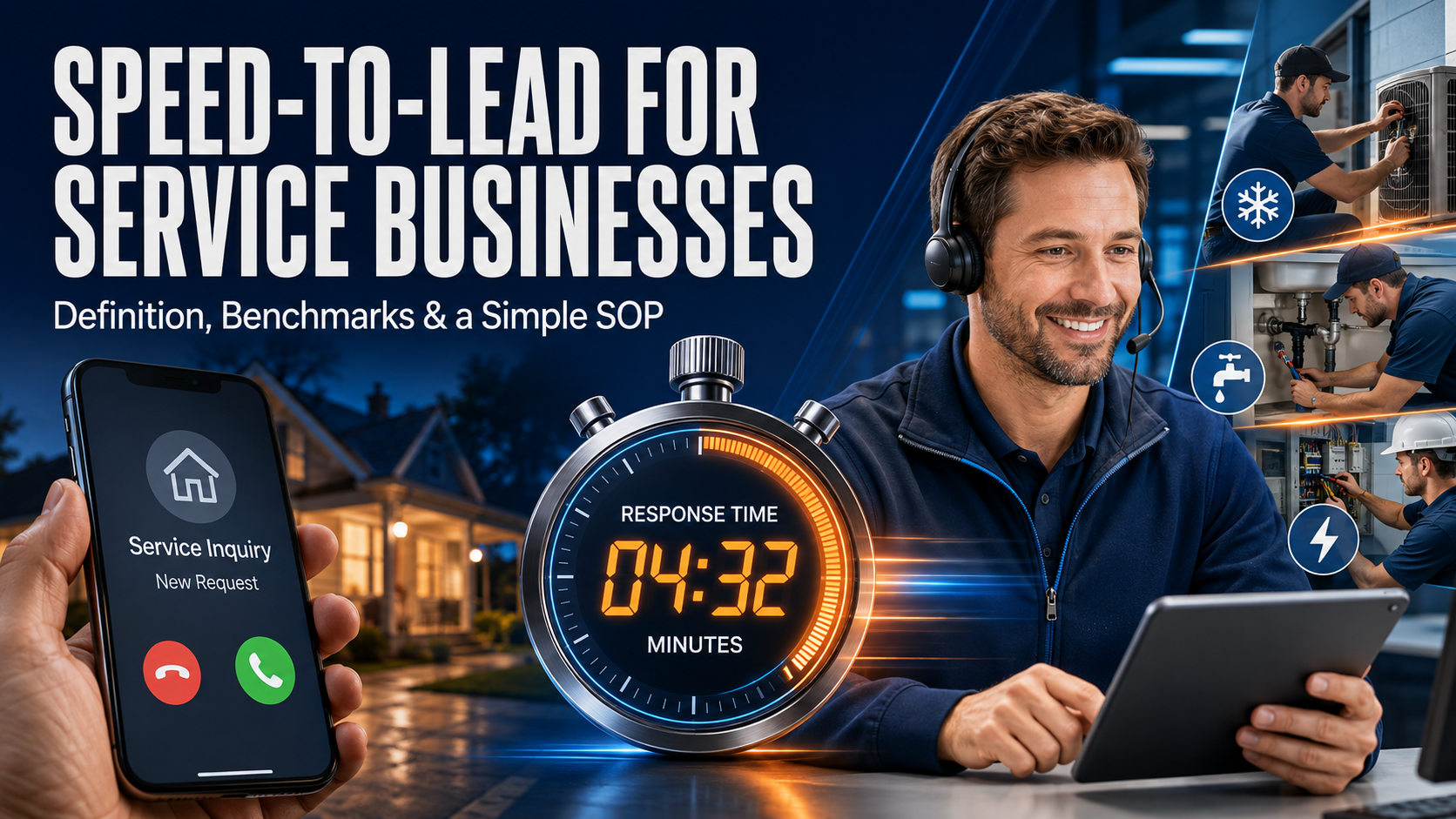
Speed-to-lead is the time between a new inquiry (call, form, chat, or text) and your first real response from a helpful human. For local service businesses like HVAC, plumbing, electricians, roofers, cleaning, pest control, med spas, and even legal services, that gap decides who gets booked, because urgency drives action.
Benchmarks are blunt: the best-performing teams respond in under 5 minutes, and 1 minute is the target when you can hit it. Many businesses still take hours, which is why fast follow-up tends to win, even when your pricing is similar.
In this post, you’ll get a clear definition of speed-to-lead, realistic benchmarks you can use to grade your current response time, and a simple SOP a small team can run every day. The goal is practical, you’ll know exactly what to do when the next lead comes in, so the first voice they hear is yours.
Speed-to-lead, explained in plain English (and what counts as a “lead”)
Speed-to-lead is simple: how fast your business responds after someone raises their hand. That “hand raise” can be loud (a phone call) or quiet (a form fill). Either way, it signals intent, and intent fades fast if nobody answers.
So what counts as a “lead” for a service business? Any contact where a real person wants service, pricing, scheduling, or answers, including:
- A call to your main line (even if they hang up)
- A Google Business Profile message, LSA message, or website chat
- A “Request service” form fill or “Get a quote” submission
- A text message to your business number
- A voicemail asking for help
A lead is not a random ad impression, a directory view, or a “just browsing” website visit. If they contacted you, it’s a lead, and the clock starts.
An urgent problem creates urgency in follow-up, speed-to-lead starts the moment they reach out.
What “first response” should mean (human contact plus a clear next step)
“First response” shouldn’t mean “we sent something.” It should mean a human made contact and moved the job forward. The minimum standard is the same whether you answer live or call back.
A good first response does four things, fast:
- Acknowledge the request (so they know they reached a real company).
- Confirm you can help (or be honest if you can’t).
- Ask 2 to 3 key questions to triage and price correctly.
- Offer a clear next step: book, dispatch, or give a time window.
Here are 2 to 3 questions that usually matter for home services:
- What’s the issue and how urgent is it? (no AC, active leak, no power, lockout)
- What’s the address or ZIP? (so you confirm service area and dispatch time)
- Any safety flags? (smell of gas, water near electric, kids at home)
Examples of what counts as a real first response:
- A live answered call that ends with a booked time.
- A call back where you confirm availability and set a window.
- A personal text like: “Got it, we can help. What’s your address and is the leak active? We can have a tech there 2 to 4 pm or tomorrow 9 to 11.”
Examples of what doesn’t count:
- A generic email auto-reply that says “We got your message.”
- A voicemail that tells them to call back, with no attempt to reach them again.
- A templated text that doesn’t ask anything, doesn’t offer timing, and never gets followed up.
If your “first response” doesn’t include a next step, it’s not a response, it’s a receipt.
The real enemy is lead decay, not your competition
Most service leads don’t “shop around” for fun. They call around because they need relief. When the AC is out, the pipe is leaking, or the front door won’t unlock, their patience runs on a timer.
Picture this: a homeowner in Fort Lauderdale gets home to an 85-degree house. They call Company A, no answer. They call Company B, it rings twice, a person picks up, asks for the address, and gives a 2-hour window. Then Company C calls back 45 minutes later. At that point, the homeowner is already picturing cold air and a technician on the way. Company C is now trying to undo a decision that already formed.
This is lead decay. The lead didn’t “choose your competitor.” The lead chose the first business that reduced uncertainty.
If you want the short version, it’s this: fast response wins because it provides certainty. Slow response forces the customer to keep searching.
For a deeper look at how response time affects contact and conversion, see response time benchmark data.
Why speed-to-lead matters even when you’re already busy
When your schedule is packed, it’s tempting to let calls roll or let forms sit. That feels safe, because you “don’t need more work.” In reality, slow response creates three expensive problems.
First, it pushes good customers into chaos. They keep calling, texting, and submitting forms because nobody confirmed the plan. That turns one lead into five interruptions.
Second, it harms reviews and referrals. People forgive “we’re booked out.” They don’t forgive silence. A quick reply sets expectations and lowers the chance they post, “Never called me back.”
Third, it protects future revenue. Even if you can’t dispatch today, a fast response lets you book the next available slot and stop the customer from drifting away. A simple text like, “We’re booked today, but I can get you tomorrow 8 to 10,” saves next-day jobs.
Quick acknowledgment also reduces ghosting. When you confirm you can help, ask a couple questions, and offer a time window, the lead feels handled. That makes them more likely to answer when you follow up again.
For more context on speed-to-lead benchmarks and what top teams target, see Speed-to-Lead Benchmarks 2026.
Benchmarks you can actually use: response time targets for service businesses
Benchmarks only help if your team can run them on a normal Tuesday. So instead of chasing perfect numbers, set targets that match how customers buy service work: some requests are urgent, others can wait, but none should sit in silence.
A practical rule: treat speed-to-lead like a fire station. You do not respond to every call like it is a house fire, but you also do not ignore the phone because you are busy.
An owner monitoring incoming leads across channels and prioritizing fast response.
The two speed-to-lead tiers that cover most service companies
Most service businesses can cover 90 percent of scenarios with two tiers. The main goal is to route urgent leads fast and still give non-urgent leads a quick, respectful reply.
Here is a simple tier system you can adopt without a new tech stack:
| Lead type | Examples | During business hours target | After-hours target | What “first response” should be |
|---|---|---|---|---|
| Tier 1: Emergency and same-day | Active leak, no AC in extreme heat, power loss, lockout | Under 5 minutes (under 1 minute if possible) | Under 1 hour, or an on-call response | Live answer or rapid call back, confirm address, safety check, dispatch window |
| Tier 2: Non-urgent and quote requests | Estimate requests, remodel pricing, maintenance, “how much toโฆ” | Under 15 minutes, or under 1 hour if staffing is tight | Under 1 hour, or by early next morning | Personal text or call, ask 2 to 3 questions, offer next step (schedule or quote process) |
The key is not the exact minute. It is the promise you can keep. If you cannot staff a true under-5-minute response all day, then set a Tier 1 on-call rotation and make Tier 2 realistic.
After hours is where most shops lose easy wins. You do not need a full conversation at 10:30 pm. You just need a short message that reduces uncertainty and sets a clear time for the next human touch.
A simple expectation-setting text that works well:
- “Got your message. If this is urgent (active leak, no power), reply URGENT and I’ll call within 60 minutes. If it can wait, I’ll text you back by 8:15 am with the next available time.”
That one message protects your time and still feels responsive.
Benchmarks by channel: phone, form, text, chat, and DMs
Different channels create different “heat.” A phone call is usually the hottest because the person is ready to talk now. Forms and DMs can still be high intent, but the buyer often expects a short delay. Still, you want to respond quickly because lead decay starts fast. Research summarized by Apten shows the under-5-minute window is where your odds jump compared to longer delays, especially once you cross 30 minutes (speed-to-lead benchmark data).
Use these channel targets as a simple scoreboard:
- Phone calls (new inbound leads): Aim to answer live. If you miss it, call back in under 5 minutes for Tier 1, and under 15 minutes for Tier 2.
- Website forms and “request a quote”: Send an instant auto-text to confirm you received it, then follow with a personal text or call in under 15 minutes (or under 1 hour if you are thin).
- Texts to your business number: Reply like it is a conversation. Target under 5 minutes for Tier 1 keywords (leak, no AC, no power), otherwise under 15 minutes.
- Website chat and Google Business Profile messages: Auto-replies help, but a real response should hit under 10 to 15 minutes during hours.
- Social DMs (Facebook, Instagram): People still book through DMs, but expectations are a bit looser. Target under 30 minutes during hours, and by early next morning after hours.
One important nuance: an auto-text is not the finish line. It is the equivalent of saying, “We heard the doorbell.” You still need a human to step to the door, ask a couple questions, and offer a time window.
If your first real human reply arrives after the customer already booked someone else, it did not matter how friendly the message was.
What to do if you can’t hit the benchmark yet (without lying to people)
If you cannot respond fast today, do not pretend you can. People can handle “we are booked” or “call backs take an hour.” They get frustrated by vague replies or silence.
Instead, pick one of these honest fixes:
- Send a fast acknowledgment with a real window: This buys you time without making promises you cannot keep.
- Offer self-scheduling: If you have online booking, push the lead to the next open slot right away.
- Route urgent leads to an on-call person: Even a small rotation (owner, lead tech, office manager) can protect Tier 1 response times.
- Set clear service-area boundaries: Do not “maybe” a ZIP code you rarely serve. Slow no’s waste time and create bad reviews.
Here is a short message that sets expectations without sounding cold:
- “Thanks for reaching out, I’m on a job right now. I can call you back between 3:30 and 4:00 pm today. If it’s an active leak or no power, reply ‘urgent’ and I’ll call within 30 minutes.”
Clarity beats speed when speed is not possible. Then, once the process is stable, you can tighten the target and win more of the calls you already pay to generate.
A simple Speed-to-Lead SOP your team can run every day
Speed-to-lead only works if it’s repeatable. The goal is simple: every new lead gets an owner, a fast human response, and a clear next step. Run this like opening and closing duties, same steps, every day, even when you’re slammed.
Assigning each new lead to one clear owner so nothing slips.
Step 1: Capture and route every lead to one owner (no “someone will get it”)
Every lead needs one accountable owner. Not “the office,” not “dispatch,” not “whoever is free.” One person holds the baton until the lead is booked, disqualified, or handed off with a confirmed next step.
Ownership doesn’t mean working alone. It means this person makes sure the lead gets a fast reply, the details get captured, and the next action is scheduled.
Set simple routing rules your team can remember:
- Service type: plumbing calls go to plumbing dispatch, HVAC goes to HVAC, estimates go to your best closer.
- Location: route by ZIP, county, or “north vs. south” service area.
- Urgency: safety issues and active damage go to on-call first, even if it’s after hours.
Keep it tool-agnostic, but make it real. A shared inbox can hold form leads, call forwarding can protect missed calls, and a CRM (or even a shared lead log) can assign an owner with a timestamp. If you want a deeper breakdown of routing logic models, see this lead routing guide.
If two people think they own a lead, nobody owns it.
Step 2: Send a fast two-part response (acknowledge, then qualify)
Move in two beats: acknowledge fast, then qualify quickly. The first message lowers anxiety. The next questions tell you what to do.
Short call script (20 to 40 seconds):
“Hi, this is [Name] with [Company]. Thanks for reaching out. I can help. First, what’s the address? Next, what’s going on today? Is it urgent, like active leaking or no power? Also, is someone onsite to let us in? If you can, text a photo. I can get you in [window 1] or [window 2]. Which works?”
Short text script:
“Hi [Name], this is [Company]. Got your request and we can help. What’s the address, what’s the issue, and how urgent is it? If possible, send a photo. I can do [window 1] or [window 2].”
Keep qualification tight. These questions fit most service businesses:
- Address (or ZIP) to confirm service area and dispatch time.
- Problem in the customer’s words.
- Urgency and safety (active leak, no AC in heat, sparking, smell of gas).
- Access (gate code, pets, tenant vs. owner, someone onsite).
- Photos or video if it helps triage, also speeds up estimates.
(Optional) Budget range for non-emergency, quote-driven work.
Step 3: Book it or move it forward in one touch
Treat every new lead like a hot pan, pick it up once, then set it down in the right place. One-touch handling means the owner doesn’t bounce the lead around or “check with someone” without a scheduled next step.
Use simple scheduling rules:
- Offer the next two available windows (not “sometime tomorrow”).
- Confirm the basics (address, contact name, best number, notes for the tech).
- Send a text confirmation right away, and a calendar invite if you use them.
Booking the next step while the customer is still engaged.
If you’re booked out, don’t stall. Give one of three clean options: a waitlist for cancellations, a later appointment with a firm time window, or a referral partner you trust (it protects your reputation when you can’t help today).
Step 4: Follow-up cadence for leads who don’t answer
Most missed connections aren’t “lost,” they’re just busy. Follow up with a short cadence that feels helpful, not pushy:
- Call immediately (or within 5 minutes).
- Text right after: “Tried calling, what’s the address and issue? I can help.”
- Call again in 15 to 30 minutes.
- One more attempt later the same day (call or text, not both).
- Next morning: one final call or text.
Then close the loop politely so you don’t haunt their phone.
Close-the-loop text:
“Hi [Name], I haven’t heard back, so I’m going to pause this request. If you still need help, reply here and I’ll send the next available time.”
Keep compliance basics simple: only text people who asked for help or opted in, identify your business, and honor opt-outs fast (if they say “stop,” you stop). This keeps your speed-to-lead strong without creating headaches later.
How to measure speed-to-lead and fix the bottlenecks fast
You can’t fix what you can’t see. The good news is you don’t need a fancy dashboard to measure speed-to-lead. You need a few numbers that tell the truth, tracked the same way every week.
Think of your lead process like a leaky bucket. Response time tells you how fast you pour water in. Missed calls and handoffs tell you where it spills. Once you can spot the spill, you can patch it fast.
Reviewing speed-to-lead numbers to find what’s slowing down bookings.
The only numbers you need at first (and what “good” looks like)
Start with five metrics. They cover speed, reach, and results, without turning this into a spreadsheet hobby.
Here’s what to track (and what “good” looks like for most service businesses):
| Metric | What it means | “Good” starting target |
|---|---|---|
| Average first response time by channel | How long it takes to respond on phone, form, text, chat, GBP | Calls: answer live, forms/text: under 15 min during hours |
| Percent responded to within 5 minutes | Your true speed score, not the average | 50%+ to start, then push higher |
| Contact rate (did you reach them) | Did you actually talk or get a real reply | 60%+ for inbound leads is a solid start |
| Booking rate | Of all leads, how many book something | 25%+ is a good baseline to beat |
| Missed call rate | Calls you did not answer live | Under 10% is a strong goal |
Averages can lie. One fast reply and one next-day reply can “average” to a few hours. That’s why percent within 5 minutes matters. It tells you how often you show up while the customer is still shopping.
Tracking can stay simple:
- Phone: use call logs from your phone system or call tracking number. You need the inbound timestamp, answer time, and whether it went to voicemail.
- Forms: use the form submission timestamp (website, landing page, or your email notification time). Then record when the first real reply went out.
- Texts and chat: pull the first inbound message time, then the first human reply time.
If you don’t have a CRM yet, use a shared sheet. If you do have a CRM, great, most can store first activity time. Either way, your lead log only needs a few columns:
- Lead name
- Channel (call, form, text, chat, Google Business Profile)
- Lead received time
- First response time
- First response method (call, text)
- Contacted? (Y/N)
- Booked? (Y/N)
- Missed call? (Y/N)
- Notes (why delayed)
If you want a ready-made layout, grab a free CRM spreadsheet template and add the time columns above.
Track speed by channel, then tie it to contact and booking. Speed that doesn’t reach people doesn’t pay.
Common speed killers: missed calls, field tech delays, and messy handoffs
Most speed problems come from a few repeat offenders. Fixing them is less about motivation and more about setting a rule the team can follow when things get loud.
1) Missed calls during rush hours
When the phone spikes, the office gets buried, and calls roll to voicemail.
Fix it this week:
- Set overflow call handling (a dedicated answering service, a second phone, or call forwarding to a backup person).
- Create a simple rule: if you miss a call, call back in 5 minutes (text right after if no answer).
- Use a “call reason” tag, so missed calls don’t disappear into the void.
If missed calls are a known issue, this breakdown on reducing missed calls in HVAC covers the common causes and practical coverage ideas.
2) Field tech delays and “I’ll call them later”
Techs mean well, but callbacks slip when jobs run long.
Fix it this week:
- Add an on-call rotation for lead callbacks (owner, lead tech, office, one person per block).
- Give techs one rule: if you can’t call within 10 minutes, send the lead to the on-call person.
- Use one saved text template to buy time: “I’m wrapping up a job. I can call at 3:30 or 4:00. Which works?”
3) Messy handoffs between marketing, office, and dispatch
A lead comes in, three people see it, and nobody owns it.
Fix it this week:
- Set a non-negotiable rule: every lead has one owner until it’s booked or closed.
- Use shared inbox rules to auto-route messages (service type, ZIP, urgency keywords).
- Add a short “handoff note” standard: address, issue, urgency, best callback number, and next step.
4) Slow typing and inconsistent replies
People freeze because they don’t know what to say, so they say nothing.
Fix it this week:
- Create three templates only: missed call text, form reply text, and “booked out” text.
- Run a 30-minute team practice. Role-play five common scenarios, then adjust the wording.
For extra context on why minutes matter, see why two minutes beats ten.
A monthly tune-up routine that keeps the SOP from slipping
Speed-to-lead fades when nobody checks it. A simple monthly tune-up keeps the process sharp without turning it into a “meeting culture” thing.
Set a recurring 30-minute block on the calendar. Same agenda every time:
- Spot-check 10 leads from the last month (mix calls, forms, texts). Confirm timestamps and note any slow responses.
- Review response times by channel and look for one problem pattern (for example, form leads after 4 pm).
- Listen to 3 calls (one booked, one lost, one average). Focus on the first 30 seconds. Did you ask the right questions and offer a clear window?
- Update scripts and templates based on what you heard. Keep changes small, one or two lines.
- Pick one improvement goal for the next month (for example, “cut missed call rate from 18% to 12%” or “hit 60% within 5 minutes”).
Keep accountability simple and human. Assign one person to own the goal, and do a quick check-in mid-month. If someone struggles, coach in real time using one call or one thread, not a lecture.
Doing a quick monthly review to keep response times and handoffs from drifting.
The payoff is compounding. You aren’t chasing perfection, you’re keeping the pipes clear so leads don’t back up.
Conclusion
Speed-to-lead is the time between a new inquiry and your first real human response with a clear next step. In service businesses, that gap decides who gets booked, because people call until someone answers and reduces uncertainty.
Use two benchmarks as your baseline: under 5 minutes during business hours for urgent and same-day needs, and under 1 hour after hours (or by early morning for non-urgent requests). Data still shows most companies respond far later, so even a modest improvement can lift contact rates and bookings.
The SOP stays simple: assign every lead one owner, reply in two beats (acknowledge, then qualify), book the next step in one touch with two time windows, then run a short follow-up cadence when they don’t answer. Once you track response time by channel and percent within 5 minutes, bottlenecks become obvious.
Pick one benchmark to hit this week, name the lead owner for each channel, and save your first response scripts today.
If you want help setting this up, Wiener Squad Media can build the tracking, forms, call routing, and follow-up automations that keep speed-to-lead consistent. That means fewer missed calls, faster callbacks, and more booked jobs from the leads you already earn.
You can build a strong livestream presence without ever putting your face on camera. If you run a small business and you’ve avoided live video because you don’t want to be “the host,” you’re not stuck, you just need a format that fits.
Off-camera livestreaming still feels personal because people connect with your voice, your taste, and the choices you make in real time. When you explain what you’re doing, point out what matters, and answer questions live, trust grows fast, even if the camera never flips around.
A simple starting point is the walk-and-talk style, with the camera facing outward while you narrate what you see, like a local guide. Think sidewalk views, storefronts, events, job sites, or products on the shelf, then add clear commentary that helps viewers make a decision.
In this post, you’ll learn practical ways to earn followers, turn viewers into customers, and stay consistent without showing your face on camera.
Why off-camera livestreaming builds real trust (even without your face)
Trust rarely comes from a perfect camera angle. It comes from useful proof, clear explanations, and the feeling that someone will answer you when you ask. Off-camera livestreaming works because it keeps the focus on what customers actually care about: what you’re seeing, what you’re doing, and what it means for them.
If you run a local service business or shop, you can earn credibility fast by pointing the camera at the work, the product, or the result, then narrating the decision-making live.
Viewers stay for answers, not angles
A talking head is optional. What viewers want is confidence, clarity, and a steady voice that helps them choose. When your livestreaming feels like a helpful guided tour, people relax. They stop judging lighting and start listening for the tip that saves them time or money.
Here are practical off-camera examples that work well for local businesses:
- Product test in real time (retail, beauty, hardware, auto): Put the camera on the item and narrate what you’re checking. For example, a pool supply shop can compare two test kits live and explain what each result means. A car detailer can demonstrate how long a ceramic spray takes to flash, and what a proper wipe looks like.
- Walk a job site (contractors, roofers, painters, remodelers): Film the space, not your face. Point out what’s been completed, what’s next, and what you’re watching for (humidity, cure time, substrate condition). The viewer learns your standards without needing to “meet” you on camera.
- Live food review (cafes, bakeries, specialty grocery): Keep the camera on the food and the prep area. Describe texture, portion, and flavor honestly. If something sells out, say it. That kind of transparency is rare, and it sticks.

The key is narration that feels grounded. Use simple language, call out trade-offs, and say why you recommend option A over option B. People trust a point of view when it’s explained.
If a viewer can repeat your advice to someone else later, your livestream did its job.

Live is a shortcut to credibility because it can’t be faked as easily
Live video signals “this is real” because it happens in real time. You can’t over-edit it. You can’t hide behind ten takes. Viewers see the small pauses, the quick corrections, and the normal mess of work. Oddly enough, that’s a benefit. A few tiny imperfections make your business feel human, not staged.
The other trust booster is simple: questions. When someone asks, “How long does that repair last?” and you answer on the spot, you create a public receipt of competence. Future viewers hear it too. Over time, your comment section turns into a rolling FAQ that you didn’t have to write.
Staying off-camera also lowers the pressure. Many owners avoid livestreaming because they don’t want to perform. With a POV setup, you can focus on the task and talk like you would with a customer in your shop. As a result, you go live more often, and consistency builds familiarity. Familiarity is what makes a local business feel like the safe choice.
For a plain-language breakdown of why live video drives engagement for smaller teams, see live streaming benefits for small business.
A simple promise for every stream: show, teach one thing, invite questions
A repeatable structure keeps your livestreams tight, helpful, and easy to run even on a busy day. It also trains viewers to expect value quickly, which helps them stick around.
Use this simple flow:
- Hook (10 to 20 seconds): Say what you’re doing and who it helps. Example: “I’m testing two grout sealers so you don’t waste money on the wrong one.”
- Show: Put the camera on the thing. The product, the problem, the process, or the finished result. Move slowly and keep shots steady.
- Teach one thing: Share one clear lesson they can use today. Not five. One. Example: “If the bead turns milky, you applied too much, wipe it back and recoat lighter.”
- Invite questions: Pause and ask for specifics. “What are you working on at your house?” or “Drop your room size and I’ll tell you how much paint you need.”
- Clear call to action: Give the next step that fits the stream. “If you want us to quote this repair, call the shop,” or “Come in today and ask for the demo model.”
This structure prevents rambling because it gives you rails. It also respects the viewer’s time. Even if they watch for 60 seconds, they still get a complete, useful answer, which is exactly what builds trust without showing your face.
Pick the right faceless livestream format for your business
The best faceless livestreaming format is the one you can repeat on a normal week. Start with what you already do, then point the camera at the proof: the place, the process, the product, or the results. Your voice becomes the “host,” and your standards become the story.
A good rule: choose a format that matches your buyer’s biggest question. Are they trying to find you, trust your quality, choose the right option, or know what to expect? Pick the stream style that answers that fast.
Walk-and-talk streams that feel like a local guide
This is the outward-facing camera approach. You walk, you narrate, and you help viewers feel like they’re there with you. It’s low pressure because you don’t need a set, you just need a clear voice and a steady pace.
To keep it useful, talk like a guide who wants people to avoid rookie mistakes:
- Point out what you see and why it matters (crowds, lighting, noise, wait times).
- Share quick “do this, not that” tips (where to park, which entrance is faster).
- Answer questions as you move (best time to visit, what to order, what to skip).
Examples that work for small businesses:
- Shopping district walk-through: show storefronts and explain where first-time visitors should start.
- Parking and pickup tips: show the easiest lot, how to avoid towing zones, and where rideshares actually stop.
- What to order: film the menu board and the food, then describe portion sizes and who it fits.
- Quick route stream: a scenic walk with a few planned stops (viewpoint, market, a “best value” item).

One gotcha is signal strength. Plan for dead zones so the stream doesn’t feel messy. If video starts breaking up, pause and narrate, walk 30 feet, switch locations, or swap to LTE if Wi-Fi drops. If the stream ends early, save it as a shorter replay with a clear title so it still earns trust later.
Dead air kills retention. If signal gets weak, keep talking, keep moving, and keep the tip coming.
For a helpful mindset shift on why walking conversations can feel more natural, see the power of the walk-and-talk.
Behind-the-scenes POV: show the work, explain what matters
Behind-the-scenes POV streams build trust because viewers learn your standards. The camera doesn’t “watch you work,” it watches you make choices. That’s what customers pay for.
Good examples across industries:
- Bakery prep: mixing, proofing, shaping, then what “ready” looks like before the oven.
- Car detailing: wash method, decon step, panel inspection, then what you check under bright light.
- Assembling an order: show how you verify parts, pack to prevent damage, and label for accuracy.
- Setting up a job site: drop cloths, protection, tool layout, safety steps, and what you inspect first.
- Packing shipments: why you choose certain mailers, how you prevent returns, and what you include.
- Cleaning process: the order of steps, dwell time, and the before-and-after check so nothing gets missed.

The difference between “interesting” and “useful” is your commentary. Teach people what to notice. Explain why you do steps in that order. Call out common mistakes. When you do that, the stream becomes a mini class, not background noise.
One privacy rule: keep the camera away from customer info, street addresses, and anything that can identify someone. That includes license plates and shipping labels.
Live demos with the camera on the product, not on you
Product-focused livestreaming is one of the easiest ways to sell without showing your face. It works because viewers can see the details, hear your opinion, and ask questions before they spend money. In addition, it’s a format you can repeat every week with different items.
This style fits:
- Product demos: show how it works, how it feels, and what results look like.
- Side-by-side comparisons: “Option A vs Option B,” then who each is for.
- Unboxings: what comes in the box, what’s worth upgrading, what’s fluff.
- “Which should you buy?”: narrow choices based on budget and needs.
- Troubleshooting: common issues, quick fixes, and when to stop and call a pro.

Use a simple demo script so you don’t ramble:
- What it is: name the product and the category it’s in.
- Who it’s for: the best buyer, and one person it’s not for.
- Top 3 features: keep them practical, not marketing fluff.
- One real use case: show it solving a real problem in front of the camera.
- Price range or next step: rough range, booking link, or “come try it in-store.”
- Q&A: answer live, then recap the best question at the end.
If you want more format ideas you can adapt, see livestream formats that attract clients.
Quick tours: set expectations before someone visits or books
Tours reduce friction. People book faster when they know where to park, what check-in looks like, and how the first five minutes will go. A faceless tour stream also filters out bad-fit customers because you set clear expectations upfront.
Tour ideas that work well:
- A shop tour that shows the aisles, pickup counter, and where to ask for help.
- An office tour that shows the waiting area, intake forms, and where the restroom is.
- A gym tour that shows how busy it gets, where to store bags, and how to start.
- A salon setup tour that shows sanitation steps, stations, and how consultations work.
- A truck or trailer tour for mobile services (what you carry, how you protect the space).

What to show, in order:
- Parking and the easiest entrance.
- Check-in steps (what you need, where you wait).
- What happens first (consult, inspection, warm-up, estimate).
- What it costs (only if you’re comfortable sharing pricing).
- How long it takes and how far out you book.
- What to bring (ID, pet records, measurements, list of concerns).
To stay smooth on camera, keep a consistent “tour path.” Walk the same route every time so you don’t forget key steps.
Local guides for niche businesses that want fast community trust
Local guide streams build trust fast because they prove you understand the area and the problems people deal with every day. The trick is tying the tip to what you sell, without making it a pitch every 30 seconds.
Here are clean ways to connect local tips to your offer:
- A pest control company points out standing water spots after rain and explains what to fix first.
- A realtor shares walkability notes (shade, traffic speed, where kids actually cross safely).
- A dog groomer reviews a pet-friendly park and explains what coat issues show up after sand and saltwater.
- A contractor explains storm prep (loose fence panels, clogged gutters, water intrusion signs).

One simple format is “dog walk, one problem.” Take your dog out, keep the camera forward, and talk through one issue you solve for customers. For example, “If your dog keeps scratching after park days, here are three things we check first.” It feels casual, but it positions you as the helpful local expert people remember when they need to book.
Set up your stream so it sounds and looks professional (without a studio)
You don’t need a studio to look credible on livestreaming. You need clear audio, steady video, and a few habits that prevent avoidable mistakes. Think of your setup like a clean storefront window. If people can’t hear you or the camera swings around, they keep scrolling, even if your work is great.
The goal is simple: make it easy to watch, easy to trust, and easy to repeat.
Audio is the difference between “pro” and “skip”
Viewers will forgive average video. They won’t tolerate muddy, echoey sound. If you’re streaming without showing your face, your voice carries the whole relationship, so treat audio like your main product.
Here are three practical mic options that work without a big setup:
- Wired lav mic: Best value and the least hassle. Clip it to your shirt, run the cable under your top, and you’re ready. It’s great for walk-and-talk streams because your voice stays consistent when you turn your head.
- Wireless mic: Better for moving around a shop, job site, or kitchen. You get the same “close mic” sound without cables snagging on tools or shelves. If you want a quick comparison of current options, see wireless mic models compared.
- Simple shotgun mic (on-phone): Good when you can’t clip a mic on (aprons, uniforms, safety gear). It sits on the phone and aims forward, so it works best when the phone stays close to where you’re talking.

Wind noise is the silent killer outdoors. Even a light breeze can make your stream sound like a jet engine. Fix it with two moves:
- Put a foam windscreen or fuzzy wind cover on the mic.
- Turn your body so you act like a windbreak, then keep the mic on the side away from the wind.
Before you go live, run one quick audio loop. It takes less time than restarting a stream:
- Record 10 seconds where you’ll actually be streaming.
- Listen back with volume up (use earbuds if you can).
- Adjust one thing (mic position, wind cover, distance), then test again.
- Go live only when you like what you hear.
If your audio sounds “good enough” in playback, it will sound even better live.
Stability and framing for POV video that doesn’t make people dizzy
Shaky POV video feels like a bumpy shopping cart. People abandon it fast. The fix is not fancy gear, it’s steady hands and smart support.
Start with how you hold the phone. Use a “two-hand triangle” grip: elbows tucked, phone held with both hands, and movement coming from your hips instead of your wrists. Then slow down. Walking at half speed often looks normal on camera.
A gimbal helps when you’re moving for more than a minute or two, especially for:
- Walk-and-talk neighborhood streams
- Tours through a shop or venue
- Job site walkthroughs with lots of turns
If you’re buying one, use a trusted shortlist like Wirecutter’s iPhone and Android gimbal picks. Still, don’t default to a gimbal for everything. For product demos, packing orders, or countertop work, a simple tripod is usually better because it removes the “floating camera” look and keeps the frame consistent.

A few framing habits make your stream feel intentional:
- Pause before you explain: stop moving, then talk. Motion plus teaching makes people miss details.
- Avoid fast pans: if you need to show something, turn slowly and stop on the point of interest.
- Use wide-angle carefully: it can warp edges and make motion look faster. Wide is great for tight spaces, but walk slower and keep the horizon level.
Lighting matters, but it’s not complicated. Indoors, face your work toward a window or put a lamp behind the phone so the subject is bright. Outdoors, stand in open shade when you can (under an awning, near a building), because harsh sun creates deep shadows and blown highlights.
Safety and privacy rules you should follow every time
Off-camera livestreaming can still reveal more than you think. A single second of video can expose private info, identify a customer, or show where you store keys and codes. Treat privacy like you treat cash: don’t leave it out.
Avoid showing these items unless you have clear permission:
- Customer faces (and voices) without consent
- Computer screens, tablets, POS systems, or scheduling apps
- Paperwork (invoices, work orders, intake forms, medical info)
- Addresses, mail, shipping labels, QR codes
- Security panels, alarm keypads, lockboxes, camera monitor walls
- Kids or school-related info
- License plates and vehicle VIN stickers
Use a quick pre-stream scan before you hit “Go Live.” Here’s a simple checklist you can run in seconds:
- Background check: no names, addresses, labels, or screens visible.
- People check: no customers or kids in frame, or you have permission.
- Sound check: no private conversations in the room.
- Location check: don’t show street numbers or identifiable home landmarks.
- Security check: keep keys, codes, and entry points off camera.
For more privacy best practices you can adapt to your platform, see Twitch’s privacy tips for streamers. Also, follow your platform’s rules and your local laws, especially for recording in workplaces, job sites, and public spaces.
A repeatable 5-minute run-of-show that keeps you calm
When you don’t show your face, structure becomes your “stage presence.” A short run-of-show keeps your voice steady and your message clear. It also prevents the most common livestream problem, talking in circles until viewers drift away.
Use this simple 5-minute flow and repeat it every time:
- 0:00 Hook: Say what’s happening and why it matters. “I’m testing two grout sealers so you don’t waste money.”
- 0:30 What viewers will get: Promise one clear outcome. “By the end, you’ll know which one works in a steamy bathroom.”
- 1:00 Show the thing: Put the camera on the product, process, or problem. Move slow and keep it framed.
- 3:00 Teach one tip: One tip only, with a quick why. “If it looks milky, you used too much. Wipe it back, then recoat light.”
- 4:00 Questions: Stop moving, read comments, answer the best one first.
- 4:30 Call to action: Give one next step. “DM us a photo, and we’ll recommend the right sealer,” or “Stop by today, we’ll show you both options.”
End on time, even if it feels like you could keep going. A clean finish makes the next livestream easier to start, and “see you tomorrow” builds more trust than one long, exhausting stream.
Turn viewers into leads and customers without being salesy
If faceless livestreaming feels like “just showing up,” you’re closer than you think. The goal is not to pressure anyone on camera. Instead, you want a helpful next step that matches what you’re already doing in the stream. When your call to action fits the moment, it lands like good service, not a pitch.
A simple rule helps: teach first, invite second. Give people a win in real time, then offer the easiest way to get the same result with your help.
Calls to action that feel natural in a live stream
The most natural CTAs sound like what you’d say to a customer standing next to you. They’re short, specific, and tied to the exact thing you just showed. Also, you don’t need ten CTAs. Pick one primary action per stream, then repeat it calmly.

Where to place CTAs (without overdoing it):
- Early (first 60 to 90 seconds): Set expectations. Tell viewers what you’ll cover and how to get help if they want it.
- Mid-stream (after your strongest tip or demo moment): Invite the next step while the value is fresh.
- End (last 20 to 30 seconds): Recap the one takeaway, then restate the CTA once.
Here are CTA examples that work well in a live stream, especially when you’re off-camera:
- Book a quote: “If you want pricing for your exact situation, book a quote after this. I’ll ask a few quick questions and send options.”
- DM a keyword: “DM the word CHECK and I’ll send the quick checklist I use on jobs like this.”
- Click the link in bio: “If you want the same product list, the link in bio has it all in one spot.”
- Stop by today: “If you’re nearby, stop by today and I’ll show you the difference in person.”
- Join the email list: “If you want weekly tips like this, join the email list. It’s short, practical, and easy to unsubscribe.”
- Grab a limited deal: “We’re doing five discounted slots this week. If you want one, message me now and I’ll confirm availability.”
- Request a menu: “Want the full menu with today’s specials? DM ‘MENU’ and I’ll send it.”
- Schedule a free check: “If you’re unsure what’s going on, schedule a free check and we’ll tell you what’s worth fixing (and what isn’t).”
One extra detail makes these work: tell people what happens next. “DM CHECK” is good. “DM CHECK and I’ll reply with the checklist and one question” is better because it removes uncertainty.
If you want more CTA phrasing ideas you can adapt, see video call-to-action examples. Keep it simple and make it easy to do on a phone.
A good CTA feels like a door you’re holding open, not a hand pulling someone through it.
Make one stream work harder by reusing it the smart way
Small teams don’t need more content, they need more mileage from what they already made. A single livestream can feed your week if you save it, clip it, and reuse the parts where you taught something clearly.

Start with this practical repurposing flow:
- Save the replay (same day)
Rename it with a clear, search-friendly title like “How to choose the right grout sealer (bathroom vs kitchen)” or “What to expect during a roof inspection.” That way, the replay can keep bringing in views over time. - Clip highlights into short videos (3 clips is enough)
Pull short moments that stand alone, such as:- The “before” and “after” reveal
- The one mistake people make
- The quick comparison (Option A vs Option B)
- Pull 3 teaching moments for posts (fast wins)
Scan your stream and write down three lines you said that were actually useful. Turn each into a post:- A quick tip post (1 paragraph, no fluff)
- A “do this, not that” post
- A simple myth-buster (“No, you don’t need X, you need Y”)
- Turn Q&A into an FAQ (your future lead magnet)
Every question you answered is a future customer question. Collect them in a doc and rewrite them as FAQs for:- Your website service pages
- A pinned social post
- An email welcome sequence
- A printed handout in-store
Longer livestream content can absolutely perform over time (especially on platforms that favor search and replays). Still, the bigger win for most local businesses is this: short clips bring new people in, replays build trust, and DMs or bookings close the loop.
For more ideas on turning one live into multiple posts, see how to turn one livestream into a week of content.
Measure what matters so you know it’s working
If you’re not showing your face, you need a simple way to know whether your livestreaming is building trust and driving action. Deep analytics can wait. Track a few signals that connect directly to revenue.

Focus on these simple metrics:
- Average watch time: Are people staying for your tip, or leaving fast?
- Comments: Questions and specifics are the best sign of trust.
- Link clicks: Did your CTA create action?
- DMs: The most underrated lead signal for local service businesses.
- Bookings: Quotes requested, calls scheduled, appointments set.
- Store visits: “Saw you live” counts, coupon mentions, walk-ins after a stream.
After every stream, keep a one-page tracking habit. It should take two minutes, not twenty. Here’s an easy format you can copy into Notes or a simple spreadsheet:
| Field | What to write |
|---|---|
| Date + platform | “Tue, IG Live” |
| Topic | “Tour: what to expect on first visit” |
| Format | “Walk-and-talk” / “Demo” / “Behind-the-scenes” |
| Average watch time | One number |
| Engagement | Comments count, best question asked |
| Actions | Link clicks, DMs, bookings, visits |
| What worked | One sentence (example: “Comparison angle kept people watching”) |
| Next test | One change (example: “Ask for DM keyword earlier”) |
The key is consistency. When you track every time, patterns show up quickly. You’ll learn which topics bring DMs, which demos lead to bookings, and which stream lengths fit your audience.
If you want a plain-language overview of common streaming metrics, see video stream metrics and best practices. Use it as a reference, not a rabbit hole.
A 2-week starter plan you can actually stick to
Consistency beats intensity. A realistic plan is 2 to 3 streams per week, each 10 to 20 minutes. That’s long enough to teach one thing and answer a few questions, but short enough to fit into a busy day.
Before you start, pick a repeating series name. It acts like a familiar sign over your door. Keep it simple, like “Quick Check Live”, “Shop Walk Live”, or “Fix It Friday Live.” Use the same name in your title each time.
Here’s a sample 2-week lineup using the formats you already have (walk-and-talk, demo, behind-the-scenes):
Week 1
- Walk-and-talk (10 to 15 min): “Quick Check Live: 3 things to look for before you book a [service].”
CTA: DM a keyword for your checklist. - Live demo (10 to 20 min): “Demo: Option A vs Option B, which one fits your budget?”
CTA: Book a quote or click the link in bio for the exact product list. - Behind-the-scenes (10 to 15 min): “What we’re working on today (and why we do it this way).”
CTA: Schedule a free check (or invite local viewers to stop by today).
Week 2
- Walk-and-talk (10 to 15 min): “Shop Walk Live: what to expect when you arrive, parking, check-in, timing.”
CTA: Request a menu (or request a price sheet, service list, or availability). - Live demo (10 to 20 min): “Fix a common problem in real time (and when to call a pro).”
CTA: DM a photo for quick guidance, then offer booking. - Behind-the-scenes (10 to 15 min): “Tools we trust and why (what we avoid too).”
CTA: Grab a limited deal on a small service add-on, or invite bookings for next week.
A small discipline makes this plan easy: end every stream the same way. Recap the one tip, say your CTA once, then say when you’ll be live next. That routine trains people to come back, and returning viewers are the ones who turn into customers.
Conclusion
A strong livestreaming presence doesn’t require a talking head, it requires proof. When you pick a repeatable off-camera format (walk-and-talk, POV behind-the-scenes, live demos, quick tours, local guides), then pair it with clear audio, steady framing, and a simple structure, viewers learn your standards fast. Add one calm call to action, and the stream turns from “content” into real leads without feeling salesy.
Start this week with one low-stress, 10-minute stream, then repeat it. Consistency makes you familiar, and familiarity makes you the safe choice.
Next, pick one format for your business and write a 3-bullet plan: the hook (who it helps), what you’ll show, and the one tip you’ll teach. Then go live, invite questions, and end with one clear next step (DM, book, visit, or click). Thanks for reading, what would you rather stream first, a quick demo or a simple tour?
What Is Social Commerce (2026), Sell on Social Media, Social Commerce for Small Business
Someone watches a TikTok or Instagram video, taps once, and checks out without ever visiting a website. That simple moment is the point, social commerce turns social apps from a place to get attention into a place to close the sale.
So, what is social commerce? It’s buying (or booking) inside the app, using built-in product tags, in-app checkout, and chat, so the customer doesn’t bounce to a storefront or a link in bio. If you’re trying to sell on social media, this is the shortest path from “I want that” to “I bought it.”
In this Social Commerce 101, you’ll learn why it’s growing so fast (feeds drive discovery, video pushes impulse buys, and mobile checkout is easy), and why social commerce for small business is more than a trend. The main opportunity is speed, you can turn everyday content into revenue with less friction. The main risk is control, platform rules, fees, and algorithms can change fast.
This is a practical 101, not a tech deep dive. By the end, pick one product (or one service package) you can sell or book from a single post.
What social commerce is (and how it’s different from “posting and hoping”)
Posting and hoping is when you publish content, drop a link, and cross your fingers that someone leaves the app, finds the right page, and completes checkout. Social commerce is different because the buying path is built into the platform. That matters for social commerce for small business because you usually do not have time (or budget) to waste traffic.
In plain terms, what is social commerce? It is selling where attention already lives, with product discovery, product details, and often payment happening without a messy handoff. You are not just “getting views.” You are building a repeatable way to sell on social media that feels natural to the customer.
The basic social commerce flow, from scroll to checkout
Social commerce works because it matches how people browse. A buyer is not “shopping,” then a product shows up and feels like the answer.
A hand holds a smartphone in a modern living room, screen displaying a social media feed with videos and posts; finger taps a shoppable product transitioning subtly to product details and checkout flow.

Here’s the basic flow you are aiming for:
- Content shows the product in context. A short video demo, a before and after, a quick outfit try-on, or a service result.
- The viewer taps for details. A product tag or shop link opens a product card or mini product page.
- They choose options. Size, color, bundle, quantity, or service date, depending on what you sell.
- They pay without starting over. On some platforms this is an in-app checkout, on others it hands off to a fast product page.
- They get order updates. Confirmation, shipping updates, and support often happen in the same app, including via DMs.
This flow can show up in several “surfaces,” meaning where the purchase starts:
- Shoppable posts (photos or carousels with product tags)
- Stories (tap to view, tap to buy)
- Short videos (product links tied to the clip)
- Live streams (real-time demos plus limited-time offers)
- DMs (questions, recommendations, invoices, and support)
If someone has to copy a link, open a browser, and re-find the product, you are back to posting and hoping.
Where social commerce happens in 2026 (Instagram, Facebook, TikTok, and more)
In 2026, the big names still dominate social commerce, but they do not work the same way.

- Instagram: Businesses typically tag products in posts, Reels, and Stories so people can tap into product details. In the US, Instagram shifted away from a universal in-app checkout for many accounts, so the last step often happens on your website. A practical overview is in Buffer’s guide to selling on Instagram [https://buffer.com/resources/instagram-shopping/].
- Facebook: Many sellers use a Shop-style storefront plus messaging, and depending on setup, some buyers can complete checkout within Facebook experiences. It can feel closer to a classic “store” inside a social app.
- TikTok: TikTok Shop commonly supports in-app product pages and checkout, which fits the impulse-buy behavior that short videos create. For a quick walkthrough of how sellers approach it, see TikTok Shop selling guide video.
Besides those, social commerce also happens through Pinterest product pins, YouTube shopping features, and messaging apps where the sale closes in chat.
One important note: features vary by country, account type, and category, and platforms change policies often. Confirm what is available inside your own app before you build your whole funnel around it.
Social commerce vs. “link in bio” and website checkout
“Link in bio” is a detour. Every detour costs sales because it adds decisions, load time, and chances to bounce. The more steps a buyer takes, the more likely they get distracted, lose trust, or simply forget why they clicked.
Still, a website is not optional for many businesses. It helps you build trust and control:
- Brand credibility (reviews, policies, About page, long-form proof)
- Email capture and retention (newsletters, post-purchase flows)
- SEO and Google discovery (people searching beyond social)
- Large catalogs (filters, bundles, and upsells that need space)
On the other hand, in-app paths tend to win when you sell simple, visual offers that people understand fast. That includes low to mid-priced products, repeat buys, and clear service packages.
A simple rule of thumb:
- Push in-app checkout when the offer is under $100, easy to explain in 10 seconds, and mobile-first.
- Push website checkout when the offer needs reassurance, customization, or a longer decision (higher price, higher risk, more questions).
In practice, the best setup often uses both: let social close the quick wins, while your website handles deeper trust and bigger orders.
Why social commerce is growing so fast (and why it’s not slowing down)
Social commerce is taking off because it matches how people already behave on their phones. They don’t open an app with a shopping list every time, they scroll to relax, learn, and get ideas. Then a product shows up at the right moment, in the right format, with proof that it works.
For social commerce for small business, that shift is huge. You’re not just trying to rank in search or win a price war. Instead, you can create demand with a video, a creator demo, or real customer results, then let buyers purchase before the feeling fades.
Discovery happens in feeds now, not search bars
Search is for “I know what I want.” Feeds are for “I didn’t know this existed.” That’s the engine behind what is social commerce at a practical level: content creates the want, then the platform makes buying feel like the next natural tap.

Short videos, creator recommendations, and user-generated content (UGC) turn casual scrolling into “wait, where do I get that?” People see the product used, not just described. That’s why the best social commerce posts look less like ads and more like proof in motion.
A few reasons feeds beat search for discovery:
- Recommendations feel personal because the algorithm learns what each viewer likes.
- Video shows results fast, so buyers understand the value in seconds.
- Creators and customers add context, like fit, sizing, texture, setup time, or real-world durability.
- Comments become a Q&A, so objections get handled in public.
Here’s a quick before-and-after example you’ve probably seen in your own niche: someone struggles with tangled cords on their nightstand and thinks it’s just “normal.” Then they see a 12-second clip of a magnetic charging dock that snaps into place, keeps the phone upright, and lights up softly at night. Ten minutes later, they’ve ordered it. Social didn’t just capture demand, it sparked it.
If your goal is to sell on social media, build content that makes the product feel obvious in someone’s daily life.
In-app checkout removes steps, so more people finish the purchase
Every extra step gives people time to change their mind, get distracted, or hit a slow-loading page. In-app checkout keeps the momentum going. You watch, you tap, you pay, done.
That matters because social shopping happens mostly on mobile. People buy while waiting in line, watching TV, or riding in a passenger seat. They don’t want to fill out long forms or reset passwords. When checkout stays inside the app (or opens a fast, mobile-first purchase page), more buyers finish because it feels easy and familiar.
In concrete terms, fewer steps helps because:
- Less typing on a small screen means fewer abandoned carts.
- Faster decisions happen when the product is still fresh in their mind.
- Impulse buys are more likely when payment is one or two taps away.
- Trust stays intact because the buyer doesn’t feel “sent somewhere else.”
That’s the simple promise of social commerce for small business: remove friction, and a good post can function like a mini storefront.
Live shopping, creators, and AI recommendations keep raising the bar
Social platforms keep improving the parts that make buyers feel confident: seeing the product, trusting the person showing it, and getting matched to the right offer.

Three accelerators are pushing growth:
- Live shopping feels like a real demo. Viewers can ask questions, see close-ups, and watch a product handle real use. It’s the online version of “can I see that in action?”
- Creators add trust faster than brand posts. People follow people. A creator’s taste, routine, and honesty become a shortcut for decision-making.
- AI recommendations match products to viewers. The platform can put your offer in front of someone already primed to care about it, based on what they watch and save.
Money is flowing into this behavior. Influencer marketing budgets are projected to hit $22.2B in 2025, which signals that brands see creators as a direct sales channel, not just “awareness.” (For a forecasting snapshot, see Influencer Marketing Hub’s benchmark report.)
For small brands, the signal is simple: you don’t have to outspend big companies, but you do need to show proof and earn trust fast. Even one strong creator partnership, paired with shoppable content, can do what a whole month of polished ads used to do.
Social commerce is speeding up because platforms help people discover, decide, and buy in the same place. That habit is sticking.
Why social commerce matters for small business owners (the upside and the catch)
If you’re trying to sell on social media, social commerce turns your feed into a checkout lane. Instead of hoping people click a link, load a site, and finish the purchase, you let them buy (or book) while their interest is still hot.
That speed is why forecasts put US social commerce sales at around $101 billion in 2026, with growth still climbing. For social commerce for small business, the appeal is simple: you can create demand with content, then capture it with fewer steps. Still, there’s a catch. When the sale happens inside platforms you don’t control, your business inherits their rules.
The opportunity: amplify your website by turning content into sales

Social commerce works best when you treat content like a salesperson, not a billboard. A short demo, a customer reaction, a quick before-and-after, then a product tag or a booking link. Your website still matters for trust and deeper info, but social becomes the front door that gets people moving.
Here’s what small business owners tend to like most:
- Speed to market: You can launch a new item, bundle, or limited offer in a day. Post it, pin it, go live, and start collecting orders or inquiries before you overthink the perfect store page.
- Built-in audience: The platform already has attention and habits. People are already scrolling, saving, sharing, and buying. You’re meeting them where they already are, not trying to pull them somewhere new.
- Easier testing (products and pricing): Social gives fast feedback. If a $39 bundle gets saves and DMs but not checkouts, try a $29 starter kit or add a bonus. If one color sells out from a single Reel, you just learned what to reorder.
- Selling with simple content: Social commerce rewards clarity, not polish. A phone video with good light and a real result often beats a studio ad.
This also applies to service businesses, which many owners forget. You don’t need a physical product to use social commerce style offers. In a coastal, year-round market where people buy with their eyes, service pros can package and sell:
- Bookings (hair, spa, fitness, classes, consultations)
- Prepaid packages (3-visit intro pack, seasonal tune-up, “new client” bundle)
- Deposits (to hold a date or confirm a spot)
- Add-ons (priority scheduling, premium materials, extended time)
The best part is how it supports your website instead of replacing it. Social creates the first “yes,” and your site becomes the safety net: reviews, FAQs, policies, and a longer story for people who need it. For a broader view of how social commerce is reshaping ecommerce, see BigCommerce’s social commerce overview [https://www.bigcommerce.com/articles/omnichannel-retail/social-commerce/].
Think of a shoppable post like a sample table outside a store. Your website is still the store, but the sample table gets people to stop.
The risk: platforms can change the rules overnight
Social commerce is powerful, but it’s not stable in the way your website is stable. Algorithms shift, policies get updated, and fees can change. Even when you do everything “right,” your reach can swing.
Here’s what that looks like in real life:
- Algorithm reach changes: Your videos average 5,000 views, then drop to 2,000 for weeks. Same quality, same effort, less distribution. If social is your only sales source, your revenue feels the same drop.
- Policy updates and feature removals: A platform changes what categories can be promoted, how product tagging works, or where the shop tab appears. If your workflow depended on one feature, you scramble.
- Fee changes: Checkout and selling fees can creep up, or ad costs rise as more sellers join. Margins tighten fast, especially on low-priced items.
- Account restrictions: A mistaken flag, a hacked account, or repeated policy strikes can limit your reach or block selling features. You might still be able to post, but you can’t tag products or run ads.
None of this is a reason to avoid social commerce. It’s just the tradeoff. When you ask “what is social commerce,” the practical answer is, it’s selling inside someone else’s building. The foot traffic is great, but the landlord can repaint the signs without asking.
A calm, useful mindset is to treat platforms like rented space. Rent can be worth it. You just don’t build your entire house on it.
How to reduce platform risk without killing momentum
You don’t need a complex system to protect yourself. A few simple habits keep your social sales engine running, even when a platform gets weird.
Start with these safeguards:
- Pick two platforms, not five. Stay focused, but don’t go all in on one app. For example, pair TikTok plus Instagram, or Instagram plus Facebook. Post core content on both, then learn which one converts best for your offer.
- Collect customer email and SMS ethically. Offer something real in return: a first-order bonus, early access, or a useful local guide. Make consent clear, and keep opt-outs simple. If your views drop 60% next month, you still have a direct line to buyers.
- Keep a simple website or landing page live. It doesn’t need 30 pages. You need one fast page with: what you sell, price, proof, FAQs, and a checkout or booking button. If social checkout breaks, you can still sell.
- Back up your content weekly. Save your best videos, photos, captions, and testimonials in a folder you own (cloud storage works). If an account gets locked, you don’t lose your whole library.
- Track orders and customer info outside the app. Export order data when possible. Keep a basic spreadsheet or system with: name, email/phone (with permission), order history, and fulfillment notes. You should never have to “scroll DMs” to understand your sales.
- Set a simple customer support process. Decide where support lives (DMs, email, or a help form) and what your response standards are (for example, same-day replies during business hours). Pin a post or highlight that explains how customers reach you.
To frame it well: social should create demand and close easy sales, while your owned channels protect the business. Stripe has a practical breakdown of this idea in its guide to understanding platform risk [https://stripe.com/en-br/resources/more/platform-risk-how-to-identify-it-assess-it-and-build-a-more-resilient-business].
If you want one quick action to take today, choose one product or one service package you can sell or book from a single post. Then build the safety net (email, a simple page, and a backup process) while you ride the momentum.
Who wins at social commerce (and what to sell first)
In social commerce, the winners usually aren’t the biggest brands. They are the businesses with an offer people can understand fast, trust fast, and buy (or book) without a pile of extra steps. If you want to sell on social media, start by picking one offer that fits the feed: simple, visual, and easy to fulfill.
Below are the types of products and services that tend to perform best for social commerce for small business, plus a quick self-check to keep you from picking the wrong platform or the wrong first offer.
Visual products people can understand in 3 seconds
“Visual” does not just mean “pretty.” It means the value is obvious on camera. A viewer should get it at a glance, even with the sound off. If your product needs a long explanation, social can still work, but your first offer should be simpler.
Top-down composition of six everyday productsโa lipstick tube, folded t-shirt, scented candle, decorative vase, gourmet snack jar, and resistance bandโarranged on a clean neutral table in soft natural light, realistic product photography style with no people, text, logos, or extra items. [https://user-images.rightblogger.com/ai/12481c45-9ac8-4e26-8dc5-453c793f36a3/assorted-social-commerce-products-flatlay-2ab3236b.jpg]
Here are “3-second” categories that often click in social commerce because the camera does the explaining:
- Beauty and skincare: Texture, color, glow, and routine fit short video. A quick demo beats a long product page.
- Apparel and accessories: Fit checks, try-ons, and outfit combos make the decision feel easy.
- Candles and fragrance-adjacent home goods: The vibe sells, not the spec sheet. Think mood, giftability, and “treat yourself.”
- Home decor: A room shot makes the value clear. Before-and-after clips can do more than any description.
- Food items: Crunch, pour, stretch, drizzle. Food is proof-friendly and shareable.
- Fitness gear: Resistance bands, grips, wraps, and small equipment work well because results are easy to show.
Simple content formats win because they match how people scroll. Keep the “story” tight and let the product do the heavy lifting:
- Before-and-after: Show the starting problem, then the result. Keep it honest and well-lit.
- Unboxing: People want to know what arrives, how it’s packed, and how it feels.
- How it’s made: Even a 10-second clip of pouring a candle or packing an order builds trust.
- Quick styling tips: “3 ways to wear it” or “one top, two looks” makes buying feel safer.
If you’re stuck on what to test first, scan a list of broad demand categories, then pick the one that you can show clearly on video. This roundup of high-demand product categories for 2026 [https://sell.amazon.com/blog/products-to-sell] is a helpful starting point for ideas.
If the product’s main benefit can’t be shown, your content has to work twice as hard.
Low-cost repeat buys that make customers come back
Repeat buys fit social commerce because the decision gets easier after the first purchase. Once someone trusts you, reordering feels like grabbing the same coffee again. In other words, the content becomes a reminder, not a full sales pitch.
What tends to work best are items that run out, get used up, or feel fun to restock:
- Consumables: Snacks, coffee, tea, spices, supplements, skincare basics, soap, and beard care.
- Refills: Refill pods, replacement heads, cleaning concentrates, and “restock packs.”
- Seasonal drops: Scents, colors, and limited editions that feel timely, not scarce for the sake of it.
- Simple subscriptions: Keep the language plain, like “ship every 30 days, skip anytime.”
Social also adds a community layer. People reorder because they see others using the same thing, or because they want to try the new version everyone is commenting on. That is a big part of what is social commerce in real life: the feed becomes both the storefront and the social proof.
To encourage repeat buys without pressure tactics, use gentle nudges that help the customer, not tricks that corner them:
- Reminders: Post “restock day” content, or send a polite follow-up message to past buyers who opted in.
- Bundles: Pair a best-seller with the next logical add-on (for example, cleanser + moisturizer, candle + wick trimmer, leggings + socks).
- Limited-time offers carefully: Short promos can help people decide, but keep it respectful. Be clear about the dates and avoid fake urgency.
If you need more ideas for repeat-friendly items, this list of high-demand products in 2026 [https://www.bluecart.com/blog/high-demand-products] can spark bundle and restock angles you can adapt to your niche.
Services that can be packaged, priced, and booked fast
Service businesses can win at social commerce too, but you have to “productize” the offer. That just means you stop selling an open-ended service, and you start selling a clear package with a clear outcome.
This works because people don’t want to negotiate in DMs. They want to tap, book, and move on.
A cozy home office desk setup includes a laptop, smartphone, and a simple card displaying icons for bundled services like photo sessions, logo design, pressure washing, fitness consulting, and hair styling, under warm ambient lighting in a realistic photo style. [https://user-images.rightblogger.com/ai/12481c45-9ac8-4e26-8dc5-453c793f36a3/cozy-home-office-productized-services-package-879d77ec.jpg]
Examples that book well from a post or Reel:
- A one-hour photo session: One location, fixed deliverables, clear turnaround time.
- A logo refresh: Not “full branding,” just a clean update with a few file types.
- A pressure-washing package: Driveway + walkway up to a set square footage.
- A 30-minute consult: One problem, one plan, and a recap sent after.
- A salon service bundle: “Gloss + trim + blowout” at one price.
Use this mini template to make your first service offer easy to say yes to:
- Package name: A simple, specific name (no clever labels that confuse people).
- What’s included: List the deliverables and boundaries (time, quantity, area, or options).
- Who it’s for: The exact person or situation (new clients, busy parents, listing prep, brand refresh).
- Price: One number when possible, or 2 tiers max.
- How to book: “Tap to book,” “DM ‘BOOK’,” or “use the booking link,” then keep the steps minimal.
- What happens next: Confirmation message, intake form (if needed), and what to bring or expect.
When you set it up this way, you can sell on social media without turning every lead into a custom proposal.
A quick self-check before you choose a platform and offer
Before you commit to a platform and start posting daily, run your offer through this quick filter. It will save you weeks of frustration.
- Can I demo the result on video in under 15 seconds?
- Can a stranger understand it with the sound off?
- Is the price impulse-friendly, or do I need a call first?
- Can I fulfill quickly and predictably (shipping or scheduling)?
- Do I have clear proof (reviews, photos, testimonials, before-and-after)?
- Can I answer common questions in comments without writing essays?
- Can I handle customer support in DMs without losing my day?
- Do I have a simple way to handle returns, reschedules, or issues?
- Can I restock or repeat the service without burning out?
- If the platform changes rules, do I have a backup checkout or booking link?
Conclusion
Social used to be for reach, now it’s a direct sales channel. For social commerce for small business, that shift means your best content can do the full job, create interest, answer doubts, and collect payment.
What is social commerce? It’s buying or booking inside the app (or with one quick handoff), not sending people on a long link chase.
Growth keeps coming because feeds drive discovery, short video sells the outcome fast, and mobile checkout fits how people shop.
The upside is speed, you can sell on social media with fewer steps and faster feedback on products and pricing.
The risk is control, because algorithms, fees, and rules can change without warning, so keep a simple backup checkout and customer list.
Start with what wins on camera, visual products, repeat buys, or a clear service package with a fixed price.
Pick one product or service package you can sell or book from a social post.
Today, choose one platform, set up your checkout or booking link, then publish one short demo that shows the result in under 15 seconds.
If you’re a plumber, HVAC tech, roofer, cleaner, med spa, or attorney, your marketing doesn’t fail because you need more leads. It fails when the phone rings and no one answers, because that’s where your paid clicks turn into booked work.
The numbers are ugly: small businesses lose about $126,000 per year from missed calls, and only 37.8% of incoming calls get answered by a real person. Worse, 85% of people who can’t reach you won’t call back, so the lead you already paid for often disappears in seconds.
This post shows how to fix missed calls in 7 days with a simple plan: track every call, cut response time, route calls to the right person fast, add backup coverage, and prove the lift with clear before and after numbers. The goal isn’t more leads, it’s more booked jobs from the leads you’re already buying.
Why missed calls wreck your marketing ROI faster than any bad ad
A bad ad wastes money slowly. A missed call wastes it instantly, because the lead already raised their hand and you still lost them. When you pay for clicks, impressions, mailers, or directory listings, the phone is often the final step. If that step breaks, every other marketing metric can look “fine” while revenue slips.
An owner watching paid lead costs climb while calls go unanswered
The math most owners never see: cost per call vs cost per booked job
Cost per call is what you pay to make the phone ring. If you spend $3,000 on marketing and it generates 60 calls, your cost per call is $50.
Cost per booked job is what you really care about, because booked jobs pay the bills. It’s the “all-in” marketing cost per win:
(marketing spend) / (booked jobs)
Here’s where missed calls quietly torch ROI. If you book 20 jobs from those 60 calls, your cost per booked job is $150 ($3,000 / 20). Miss just a handful of calls and your bookings drop fast. If bookings fall to 12, your cost per booked job jumps to $250 ($3,000 / 12), even though ad performance did not change at all.
Your cost per call can look fine while your cost per booked job goes crazy.
This is why owners get stuck on the wrong dashboard. They see leads coming in and assume marketing is working. Meanwhile, the booking pipeline leaks at the phone, and the “real” acquisition cost rises every week.
How missed calls inflate cost per booked job even when cost per call stays steady
What the research says about caller behavior in 2026
The hard part about missed calls is that most people never announce you lost them. They just move on.
Recent missed-call research paints a consistent picture: small businesses answer only 38% of incoming calls live. About 38% go to voicemail, and 24% get no response at all. That means more than half of callers never reach a human at the moment they’re ready to buy (see the data summary from AIRA’s missed call statistics).
Even worse, caller patience is short:
- 77% expect immediate reach when they call a business.
- 85% won’t call back if they can’t reach you.
- 75% will switch to a competitor after poor phone service.
Voicemail is not a plan in 2026, because most people treat it like a black hole. They’re calling during a break at work, while parked outside a job site, or between errands. If nobody answers, they hit the back button and call the next company in Google Maps.
The financial impact adds up faster than most owners expect. Industry summaries estimate contractors can lose $50,000+ per year from missed calls, and the average small business loses about $126,000 per year in missed revenue. You can sanity-check those figures and see how they’re calculated in sources like Phone2’s missed call cost breakdown and Ring4’s missed call cost overview.
The meaning is simple: if you’re buying leads, your real competition is not another ad. It’s the other company that picked up first.
The hidden damage: bad reviews, lower Google trust, and staff stress
Missed calls don’t just reduce bookings today. They also chip away at tomorrow’s marketing.
First, frustrated callers complain in public. You’ve seen the review before: “Called three times, no one answers.” Those comments hurt conversions because they target the exact fear a new customer has, “Will this company show up, or will I get ignored?” Even if your star rating stays high, a couple of “no answer” reviews can make a shopper keep scrolling.
Photo by Felicity Tai
Second, missed calls create a trust gap that ads cannot fix. Google Business Profile shoppers often call to confirm availability, pricing range, or timing. When the call fails, they assume your operation is disorganized, even if your work is great.
Third, there’s the internal cost. A missed call rarely stays “missed.” It turns into:
- Repeat calls that interrupt techs and office staff.
- End-of-day scrambling to return calls when the customer already booked elsewhere.
- After-hours catch-up that steals family time and burns out your team.
This is why “we’ll call back later” often turns into a messy cycle. The phone becomes a constant interruption, yet still fails at the one job it must do: connect ready-to-buy people to a human who can book them.
Common reasons calls get missed (even when you think you have it handled)
Most owners don’t ignore calls on purpose. Missed calls happen because the business grew, the phone volume changed, or the old routine stopped working. The patterns are painfully consistent across trades and local service businesses.
Here are the most common causes:
- One person does everything, so the phone competes with invoicing, scheduling, and customer walk-ins.
- Calls hit during jobs, especially when you’re on a roof, under a sink, or driving.
- Lunch gaps and shift handoffs create small coverage holes that turn into lost bookings.
- After-hours calls go nowhere, even though many “emergency-ish” leads call early morning or evening.
- Spam and robocalls crowd out real leads, so staff stop answering unknown numbers.
- No routing or overflow, so every call rings one phone and dies there.
- Phones on silent or left in a truck, which sounds silly until it happens daily.
- Weak voicemail setup, with a generic greeting, full mailbox, or no promise of response time.
- No fast callback process, so missed calls sit until “later,” and later never wins.
The key takeaway is this: missed calls are a system problem, so the fix is a system. Once you treat answering as part of your marketing delivery (not a side task), ROI stops bleeding and your booked jobs catch up to your lead volume.
Day 1 and Day 2: Find where calls break, then stop the bleeding fast
Before you change your ads or spend a dollar more, tighten up the moment your leads try to reach you. In the next two days, you’re doing two things only: find where calls fail and make sure missed calls get a fast, human response.
Think of it like a leaking bucket. You don’t need a bigger hose. You need to patch the holes, first.
Day 1: Do a missed-call audit in 20 minutes (no tech skills needed)
Start with one simple question: When the phone rings, what actually happens? Most owners don’t know, because the data is spread across devices, apps, and people.
Gather these items (you can do this in one sitting):
- Call logs from your main business line (VoIP app, landline portal, cell call history).
- Missed calls count and timestamps (including calls that rang out).
- Busy signals or “user busy” events (these are gold because they show capacity problems).
- Peak times (hour of day, day of week, lunch gaps, and after-hours volume).
- Which line got the call, including:
- Google Business Profile number
- Website header number
- Google Ads call extension / call-only ads
- Facebook or Instagram call button
- Direct mail, yard signs, truck wrap tracking number
- Who answered, or if nobody did (and how many rings it took).
- What happened next (booked, quote requested, voicemail left, caller hung up).
Now capture it in a basic Google Sheet for seven days. Don’t overthink it. You’re trying to see patterns, not build a CRM.
A free template can help you move faster. If you want a starting point, grab a free call log tracker template, then customize the columns below.
Here’s a clean layout that works for most service businesses:
| Column | What to enter | Why it matters |
|---|---|---|
| Date | 3/7/2026 | Lets you spot day patterns |
| Time | 9:42 AM | Shows peak hours and coverage gaps |
| Caller number | (555) 123-4567 | Helps identify repeats and follow-ups |
| Source | GBP, Google Ads, Website, Yard sign | Tells you what marketing produces real calls |
| Call result | Answered, missed, voicemail, busy | Shows where calls break |
| Rings/hold time | 2 rings, 30 seconds | Reveals friction that makes people hang up |
| Answered by | Sarah, Tech on-call, Nobody | Ties outcomes to staffing and routing |
| Tag | New lead, existing customer, vendor, spam | Keeps the audit useful |
| Outcome | Booked, estimate, callback needed | Connects calls to revenue |
| Notes | “Asked about emergency service” | Adds context without long writing |
Tag every call with one of these four labels:
- New lead: Someone pricing or trying to book for the first time.
- Existing customer: Past client calling for follow-up, warranty, repeat service.
- Vendor: Supplier, recruiter, partner, building manager.
- Spam: Robocalls, telemarketers, wrong numbers.
The fastest win is separating “real money calls” from noise. Tagging makes that obvious in one week.
Once you have seven days of rows, sort by “Call result” and “Time.” You’ll usually see one of three problems: no coverage at peaks, routing dead ends, or slow follow-up.
Reviewing call logs and writing down patterns
Day 1 quick win: turn on call forwarding and stop dead ends
A missed call often isn’t a staffing problem, it’s a routing problem. The caller hits one number, it rings one device, and when that fails, the lead disappears.
Your goal today is simple: get more calls to a human. Not perfect routing. Not fancy menus. A real person who can help.
There are two settings that fix a lot of pain fast:
- Call forwarding (when unanswered/busy): If the main line isn’t picked up, it forwards to a cell phone or backup person.
- Simultaneous ring (sometimes called “ring all”): The office phone and a backup phone ring at the same time, so whoever is free grabs it.
Most business phone providers support this, and many cell carriers do too. If you need a plain-English walkthrough of options like conditional forwarding and time-based routing, see this call forwarding setup guide.
A few rules keep this from backfiring:
- Forward to someone who can actually answer. If your tech is on a ladder all day, don’t forward calls to them.
- Pick a backup who can book work. A friendly answer is good, but a booked job is better.
- Test it immediately. Call your number from your own cell, let it ring out, confirm it forwards, confirm the backup can pick up.
- Avoid forwarding loops. Don’t forward Phone A to Phone B if Phone B forwards back to Phone A.
Forwarding doesn’t fix everything. It just stops “dead ends,” and dead ends kill ROI.
If you’re worried about spam, don’t use that as a reason to keep calls trapped. Instead, let the backup person answer with a quick filter: “Thanks for calling, are you looking to book service today?” Spam hangs up fast, real customers talk.
Setting up call forwarding so fewer leads hit a dead end
Day 2: Fix your voicemail so it earns callbacks (not anger)
If your voicemail sounds annoyed, rushed, or vague, you’ll get fewer call-backs. People assume you don’t want the work, even if you’re just slammed.
Keep your greeting short (10 to 20 seconds). Speak slower than you think you need to. Smile when you record it, because it changes your tone.
Here’s a voicemail script you can copy and record today:
Voicemail script (copy/paste):
“Hi, you’ve reached [Your Business Name]. We missed your call, but we do respond fast. Please leave your name, number, and what you need help with, and we’ll call you back within [timeframe, like 15 minutes during business hours]. If it’s easier, you can also text this number with your name and address. Thanks.”
A few quick improvements that matter more than people expect:
- Set a real callback promise you can keep. If you say 15 minutes, then hit 15 minutes.
- Ask for the detail you always need. For home services, that is usually address and issue. For legal, it might be the type of case and best call-back time.
- Add a text option if your line supports business texting. Many callers prefer it while at work.
- Update your greeting for after-hours so callers aren’t confused. Record a separate after-hours greeting if you can.
If you want more examples to compare tone and structure, this professional voicemail greeting scripts guide lays out simple formats that work.
Day 2: Add missed-call text back so people know you’re responding
When someone calls and you miss it, silence feels like rejection. A missed-call auto-text fixes that by telling the caller, instantly, “We saw you.”
In plain terms, missed-call text back is an automatic SMS that goes out only when:
- a call comes in,
- nobody answers,
- the call ends (or goes to voicemail),
- and your system triggers a short, helpful reply.
This works best for high-intent leads (Google Business Profile, Google Ads, website click-to-call). It also helps existing customers who just need scheduling, because it keeps them from calling three other companies out of frustration.
If you need a simple explanation of how the feature works and what it looks like, see missed call text back feature details.
Use different texts for different situations. Here are two you can plug in as-is:
Auto-text for new leads:
“Hi, this is [Name] at [Business]. Sorry we missed your call. What service do you need, and what’s the address? Reply here and we’ll get you scheduled today.”
Auto-text for existing customers:
“Hi, this is [Business]. We missed your call. Reply with your name and what you need, and we’ll help you right away. If this is urgent, tell us ‘urgent’.”
Keep the compliance side simple and safe:
- Only text people who contacted you first. Missed-call text back is a response, not a cold marketing blast.
- Don’t spam. One helpful message is enough unless they reply.
- Stay practical. The goal is to book or support, not to pitch.
Once this is on, your phone stops acting like a black hole. Even when you miss a call, the caller gets a clear sign that you’re on it, and that alone saves bookings.
Day 3 and Day 4: Build a simple call-handling system that always has a backup
By Day 3, you already know where calls break and you have basic protections in place (forwarding, better voicemail, and missed-call text back). Now it’s time to build a small, repeatable call flow that works even when people are on jobs, with customers, or driving.
The goal for the next two days is simple: every lead reaches a person, or at least reaches a system that captures the lead cleanly and triggers a fast response.
Calls get answered more often when your phones ring as a team, not as a single point of failure
Day 3: Set up ring groups so more than one person can pick up
A ring group is exactly what it sounds like: one incoming call rings multiple people so the first available person can answer. In a small service business, that might be you (owner), your office admin, and your lead tech. It’s like having three fishing lines in the water instead of one.
There are two common ways to do it:
- Simultaneous ring (ring all): Everyone in the group rings at the same time. Whoever answers first gets the call.
- Sequential ring (hunt group): It rings Person A, then B, then C.
For most small teams, simultaneous ring works best because it cuts wait time. Many VoIP systems support both options. If you want a plain-English overview of how ring groups work, see ring group basics for VoIP.
Set a few rules so it doesn’t turn into chaos:
- First available answers. No “who should take this?” chatter while the caller waits.
- Once answered, the other phones stop ringing. This prevents double-answers and awkward “hello, hello” moments.
- If nobody answers, the call goes somewhere intentional. Don’t let it ring forever. Send it to:
- a voicemail with a clear callback promise, and
- your missed-call text back (from Day 2), so the lead knows you saw it.
One more rule matters more than the tech: whoever answers must be able to book or capture. If the lead tech answers but can’t schedule, they still need to collect the essentials (name, address, issue, best callback) and then hand it off fast. A ring group that “answers” but doesn’t convert still wastes marketing spend.
A ring group is backup coverage. A booking-ready answer is ROI protection.
Day 3: Create a simple call script that turns calls into scheduled jobs
Most missed-call problems aren’t only about picking up. They’re also about what happens after “Hello.” A short script keeps calls on track, especially when an owner or tech answers between jobs.
You don’t need a rigid, robotic pitch. You need a repeatable outline that gets the right info and moves the caller to a time on the calendar. For more examples you can adapt, skim home service sales script templates, then simplify them to fit your operation.
Here’s a script outline that works for plumbing, HVAC, electricians, cleaners, and similar service businesses:
- Greeting (5 seconds):
“Thanks for calling [Business Name], this is [Name]. How can I help?” - Confirm the need (what’s happening):
“Tell me what’s going on.”
(Then repeat it back in one sentence. This builds trust fast.) - Get the location (non-negotiable):
“What’s the service address?” - Check urgency:
“Is this an emergency today, or can we schedule for the next available?” - Price expectations (set boundaries early):
“We can give a range after a couple questions. Are you trying to stay under a certain budget?”
(If they press for an exact price, don’t argue. Give a range, then move forward.) - Next step (book a time):
“We can get someone out [today / tomorrow]. I have [time A] or [time B]. Which works best?”
When in doubt rule: always offer the next available appointment. People call because they want progress. If you leave it as “we’ll call you back,” you hand them a reason to keep shopping.
Tone matters as much as words. Keep it calm, helpful, and quick. Smile while you talk. You’ll sound more confident, even on a rough day.
Day 4: Use a short auto-attendant only if it speeds things up
An auto-attendant (sometimes called an IVR) is the recorded voice that answers and routes calls: “Press 1 for service, press 2 for billing.” It can help, but only when it reduces confusion and gets callers to the right place faster.
Use an auto-attendant when:
- You have higher call volume and the admin can’t screen everything.
- You handle multiple call types (new service, existing customers, billing, property managers).
- You want after-hours routing (on-call, voicemail, or answering service) without relying on someone remembering to flip settings.
Skip it when:
- You’re a one-person shop, or almost always want the same person answering.
- Most calls are new leads and every extra step increases hang-ups.
If you do use one, keep it short. Best practice is two options max, plus a way to reach a person. OnSIP’s guidance on auto-attendant best practices matches what works in the field: fewer choices, faster routing.
A clean example:
“Thanks for calling [Business Name].
Press 1 to book service.
Press 2 for billing.
Press 0 to speak with our team.”
If your system supports it, make 0 ring your ring group (Day 3). That gives callers a fast escape hatch, which reduces hang-ups from frustrated people who just want a human.
Day 4: Cover after-hours without burning out (and without losing leads)
After-hours calls are tricky because they’re often high value and emotionally charged. Think no AC in Florida at night, a leak spreading across a ceiling, or a lockout. At the same time, 24/7 availability can chew up your team.
Pick one coverage option that matches your real capacity:
- Rotate on-call: One person covers nights for a set week, then hands off.
- Limited after-hours window: For example, take calls until 8 PM, then switch to message capture.
- Weekend call blocks: Set defined windows (Saturday 9 to 1, Sunday 4 to 7) instead of “always on.”
- Answering service: A trained receptionist captures details, sets expectations, and escalates true emergencies. If you want to explore that route, start with a service built for small businesses like ReceptionHQ virtual receptionist services.
The key is matching coverage to caller expectations. If you advertise emergency service, you need a clear path for urgent calls. If you don’t, say so plainly, then capture the lead and respond fast when you open.
Set one firm boundary that protects both revenue and your sanity:
If you can’t answer live, at least capture the lead and respond fast the next morning with a text and a call. The text stops the “black hole” feeling. The call closes the loop and books the job.
A simple after-hours voicemail line that works:
“Thanks for calling. We’re closed right now. Leave your name, number, address, and what’s going on. If this is urgent, say ‘urgent’ in your message. We’ll text and call you first thing in the morning.”
Day 5 to Day 7: Add automation, track every lead, and prove the ROI
By now, you’ve stopped the worst leaks: calls route to real people, voicemail sounds professional, and missed calls trigger a fast response. Next, you’re going to lock in consistency with training, add coverage for the gaps, and track every lead from ring to revenue.
This is the part most owners skip, because it feels like “extra process.” It’s not. It’s how you turn call volume into a predictable booking engine, and finally know what your marketing is returning.
Day 5: Train your team to answer like a pro (even if they hate phones)
Coaching one phone habit at a time makes your booking rate climb fast.
Most teams don’t “hate phones.” They hate awkward calls, unclear expectations, and getting yelled at. Clear rules fix that. Keep it simple, post it by the phones, and coach to it.
Here are 7 phone rules that protect your marketing ROI:
- Answer in 3 rings. If you can’t, your system should overflow to backup coverage.
- Smile while speaking. It sounds corny, but it changes your voice and lowers tension.
- Confirm name and number early. “Can I grab your name and the best number in case we get disconnected?”
- Don’t put people on hold without asking. Ask first, then give a time limit (“about 20 seconds”).
- Collect the job address. No address, no appointment, no follow-up that actually happens.
- Offer two appointment times. “I can do 2 to 4 today or 9 to 11 tomorrow, what works?”
- Confirm the next step by text. Send a quick confirmation with the time window and who they’ll see.
If you want your team to sound polished without turning them into robots, borrow from proven phone basics like these phone answering tips for business owners and keep the language in your own voice.
Quick coaching tip for owners: listen to 5 calls, give one improvement, repeat weekly. Don’t do a long feedback session. Think of it like adjusting a thermostat, small changes, often.
One phone rule fixed per week beats a “big training day” that nobody remembers.
Day 5: Test an AI answering agent or live answering service for your gaps
When calls come in during lunch, on job sites, or after hours, you need coverage that doesn’t rely on someone sprinting for a phone. That’s where an AI answering agent or a live answering service earns its keep.
In plain terms, these tools can:
- Answer 24/7 so leads don’t hit voicemail.
- Screen spam and wrong-number calls so your team stays focused.
- Capture details like name, phone, address, and service needed.
- Book open slots on your calendar, based on rules you set.
- Send summaries by text or email so nothing gets lost.
Keep your test vendor-neutral and structured. Use this evaluation checklist when you trial options:
- Accuracy: Does it capture the right name, number, and address every time?
- Tone: Does it sound calm and helpful, or cold and scripted?
- Ability to book: Can it reliably offer two time windows and confirm one?
- Handoff to humans: Can it transfer urgent calls, and does it do it fast?
- Reporting: Do you get call logs, recordings/transcripts, and booked outcomes?
- Cost: Is pricing per minute, per call, or flat, and will it spike in busy months?
For a simple overview of how AI receptionists typically work (and what to watch for), compare your trial results to a guide like AI receptionist basics for small businesses.
Start with a free trial if available, and keep the scope tight at first: lead capture and booking only. Once it nails the basics, then you can add FAQs, pricing guardrails, and emergency routing.
Day 6: Turn missed calls into a tracked pipeline (so nothing disappears)
One shared pipeline keeps missed calls from turning into lost revenue.
A missed call only becomes a “lost lead” when it disappears. Fix that by building a simple pipeline that alerts you, records what happened, and forces a next step.
Start with three basics:
- Missed-call alerts: text and email notifications to the right person, instantly.
- Call notes: a short summary of what the caller needed, even if it was a 20-second chat.
- One place to track leads: either a lightweight CRM or a Google Sheet your team actually uses.
If you’re not ready for a CRM, a sheet is fine. If you want a framework for building it cleanly, this guide to building a CRM in Google Sheets is a solid starting point.
Use these fields so the pipeline connects to marketing decisions:
- Date/time
- Source (Google Business Profile, Google Ads, LSA, website, referral)
- Caller name
- Caller number
- Service needed
- Job address
- Status (new, booked, follow-up, lost)
- Value estimate (rough is fine, use your average ticket if unsure)
- Next action and owner (who will call back, and by when)
This is the missing link for ROI. Once every call has a source and a status, you can finally see which channels create booked jobs, not just “calls.”
Day 7: Do the before-and-after ROI check in 30 minutes
A quick scorecard makes the ROI obvious
Your phone system fix is only “real” if the numbers move. Pull your last 7 days (before changes) and your most recent 7 days (after). Then fill out this scorecard:
| Metric | Before | After |
|---|---|---|
| Total calls | ||
| Answered rate | ||
| Missed calls | ||
| Average callback time | ||
| Bookings | ||
| Cost per booked job | ||
| Revenue booked |
Here’s a plain example of the math:
- You spend $3,000/month on marketing.
- Before fixes: 60 calls, 12 bookings. Cost per booked job =
$3,000 / 12 = $250. - After fixes: 60 calls, 20 bookings. Cost per booked job =
$3,000 / 20 = $150.
Same marketing spend, same call volume. Better answering turns into cheaper customers.
For goal-setting, use a realistic range tied to your coverage and volume. Over time, aim for a 50 to 90% drop in missed calls, especially once overflow routing and backup coverage are dialed in.
Finally, don’t treat this as a one-time project. Keep one weekly check-in so the system doesn’t drift.
Conclusion
Missed calls are a sales leak, not a mystery. In 7 days, you can get visibility into where calls break, respond faster with missed-call text back, add backup coverage with ring groups and forwarding, tighten basic routing, track every lead from ring to booking, and keep it from drifting with a short weekly review.
The promise stays the same, you don’t need more leads first, you need to catch the leads you already paid for. If you read Wiener Squad Media because you want better marketing ROI, start by auditing this week’s missed calls and implement Day 1 today.
If you want help setting up call tracking and follow-up workflows that your team will actually use, get professional support and lock the system in. When the phone gets answered, your ads stop working alone and start producing booked work.
Many small business owners want to try livestreaming, but they do not want to be the โfaceโ on video. That is normal. Some people feel camera shy. Others want the spotlight on the product, not on them.
Here is the good news: you can livestream without showing yourself.
One of the best examples is a โwalk and talkโ livestream. Tony from Going to Hawaii does this in Waikiki. He walks, narrates what he sees, and keeps the camera pointed outward. He also does restaurant reviews called โLetโs Eat,โ where the focus is the restaurant, the food, and the service. It is not about him. It is about the experience.
A small business can use the same concept to build trust, get attention, and generate leads.
Why off camera livestreams work
You do not need a talking head video to create value. You need:
- A clear point of view (what you want viewers to learn)
- A real time experience (what is happening right now)
- Helpful narration (what to notice and why it matters)
Livestreams also create a sense of โI am there with you.โ That is hard to beat with photos or edited videos.
The simplest format: the Walk and Talk livestream
A walk and talk livestream is exactly what it sounds like:
- You start a live video.
- You point the camera at what you are doing or where you are.
- You narrate as you move.
You can do this inside your shop, on a job site, at an event, or even on a short walk to show your neighborhood and talk about local tips.
What to talk about (without showing your face)
- What you are doing and why it matters
- What people usually get wrong
- What to look for (warning signs, quality markers, common issues)
- What the next step is (call, quote, booking link)
You can also show your hands sometimes, but you do not have to. The main focus can stay on the subject.
Livestream ideas that do not require being on camera
1) Behind the scenes, โPOV styleโ
Point the camera at the work, not at you.
Examples
- A bakery: decorating cookies, pulling bread from the oven, packing orders
- A plumber: showing a clean under sink setup, explaining shutoff valves, walking through a simple inspection
- A boutique: unboxing new inventory, styling a mannequin, showing fabric close ups
- A gym: setting up a class, quick tour of equipment, cleaning routines
Why it works: people love seeing how things are made and how pros think.
2) Live product demos (camera on the product)
You can livestream a demo like a home shopping segment, without the host on screen.
Examples
- โHere is how this tool worksโ
- โHere is how to pick the right sizeโ
- โHere is what comes in the boxโ
- โHere is the difference between option A and option Bโ
Tip: Use a simple tripod. Keep the shot steady. Viewers forgive simple setups. They do not forgive shaky video.
3) Live โshop tourโ or โjob site tourโ
Walk through a space and explain what you do.
Examples
- โHere is our front desk processโ
- โHere is how we prep before a projectโ
- โHere is what a clean install looks likeโ
- โHere is how we handle safetyโ
Pro move: narrate like you are guiding a friend. Short sentences. Clear explanations.
4) Live local guide (your area, your niche)
If you serve a local area, you can do what Tony does, but in your world.
Examples
- A realtor: โQuick walk through this neighborhood, here is what buyers ask aboutโ
- A cafรฉ: โFarmers market walk, here is what we are picking up todayโ
- A landscaper: โWalk through a yard and point out spring issues to fix nowโ
- A contractor: โWalk through a hardware store aisle, what to buy and what to skipโ
This builds local trust fast because it proves you are active in the community.
5) Live restaurant style reviews, but for your niche
Tonyโs โLetโs Eatโ works because it centers the customer experience. You can borrow the structure.
Framework
- What you expected
- What you noticed first
- Quality and value
- Service and process
- Who it is best for
- What you would change
- Final recommendation
Examples
- A photographer: review a venue from a lighting and layout angle
- A mechanic: review common parts brands (what lasts, what fails)
- A marketing consultant: review local ads and explain what works (stay respectful and avoid naming names if needed)
Be fair. Stay factual. Avoid drama.
How to set up an off camera livestream (simple gear)
You can start with a phone and decent audio.
Minimum setup
- Smartphone
- Stable grip or small tripod
- Optional: wireless mic (huge upgrade)
Audio matters more than perfect video. If people cannot hear you, they will leave.
Camera settings tip
- Use the rear camera. It looks better than the selfie camera.
- Clean the lens before you go live.
- Keep the phone horizontal if you are on YouTube or Facebook.
- Keep it vertical for Instagram Live or TikTok Live.
How to keep viewers watching (even without your face)
Use a simple structure
Try this flow:
- Hook (first 10 seconds):ย โIโm going to show you how to spot a bad install in 60 seconds.โ
- Show the subject:ย point the camera where you want attention.
- Teach one thing:ย keep it tight.
- Invite questions:ย โDrop your question in the chat.โ
- Clear close:ย โIf you want help with this, call us or book here.โ
Narrate what you see
Silence kills livestreams. If nothing is happening, say what is about to happen.
Repeat for new viewers
People join late. Every few minutes, restate what you are doing.
Common mistakes to avoid
- Shaky video:ย stabilize the phone busing a gimble.
- Wind noise:ย use a mic or step out of the wind.
- Too much rambling:ย pick one topic per live.
- No call to action:ย tell people what to do next.
- Showing private info:ย avoid customer names, addresses, and paperwork.
Easy calls to action that do not feel pushy
At the end of the live, try one of these:
- โIf you want a quote, send us a message with the word QUOTE.โ
- โIf you want us to check yours, book a quick inspection.โ
- โWant a checklist? Comment CHECKLIST and Iโll send it.โ
- โWe have openings this week. Link is in our bio.โ
A simple weekly livestream plan (no face required)
Week 1: Walk and talk tour of your workspace
Week 2: Live demo of a product or service step
Week 3: Common mistakes customers make (show examples)
Week 4: Live Q&A with camera pointed at the workbench or job site
Do this for 30 days and you will build momentum. You will also get better fast because the format is repeatable.
Final takeaway
You do not need to be on camera to livestream.
You just need something worth showing and a voice that guides people through it. When you make the livestream about the customer experience, the product, or the work, the content feels helpful, not performative.
Tariffs are taxes on imported goods. The importer pays the tariff at the border. After that, the cost usually shows up in prices, supply chains, and business decisions.
Supporters of tariffs often argue for two big outcomes. First, tariffs can help U.S. workers and industries by making imports less competitive. Second, tariff revenue can help fund the federal government, which could allow lower income taxes.
This article explains the main benefits people claim for tariffs, the real tradeoffs, and the hard math behind using tariffs to replace federal income taxes. It also covers the history point that comes up a lot: before 1913, the U.S. relied much more on tariffs and excise taxes, and it did not have todayโs permanent income tax system (Internal Revenue Service, n.d.).
What tariffs are (simple definition)
A tariff is a tax on imported goods. If a business imports $100,000 worth of products and a tariff is 10%, it owes $10,000 in tariff tax.
Tariffs can be:
- Broad, covering many products across many countries.
- Targeted, covering specific products (steel, solar panels, cars) or specific countries.
The benefits of tariffs to the U.S. economy (the strongest pro-tariff arguments)
1) Tariffs can protect U.S. industries from cheaper imports
When imported goods cost more because of a tariff, some buyers switch to U.S.-made options. This can help industries that struggle to compete with low-cost foreign production, heavy foreign subsidies, or dumping (selling below cost).
If U.S. producers gain sales, it can lead to:
- More factory output
- More hiring in targeted sectors
- More investment in plants and equipment
- Stronger local supplier networks
This is the classic โprotect and rebuildโ argument.
2) Tariffs can encourage reshoring and domestic investment
Tariffs can change the long-term math for companies. If imports are likely to stay expensive, firms may build more in the U.S. or buy more from U.S. suppliers.
When that happens, benefits can spread beyond the factory floor:
- Construction work for new facilities
- More work for transportation and logistics
- More demand for maintenance, repair, and local services
- More local economic activity around production hubs
This can matter most in sectors where supply chains are deep, like manufacturing and energy-related equipment.
3) Tariffs can support supply chain resilience
Tariffs are also used for national security and resilience. The goal is not only cheaper goods. The goal is stable access to key inputs during shocks.
Many policymakers want less reliance on single-country supply chains for items like:
- Defense-related components
- Semiconductors and advanced electronics
- Medical supplies and medicines
- Energy infrastructure parts
Tariffs are one tool that can push production to diversify or move closer to home.
4) Tariffs can add leverage in trade negotiations
Tariffs can act as pressure in trade talks. They can be used to push for:
- Lower barriers for U.S. exports
- Stronger intellectual property rules
- Changes to foreign subsidy programs
- Better market access for U.S. companies
In this role, tariffs are a bargaining chip, not just a funding tool.
5) Tariffs can raise federal revenue
Tariffs create federal revenue through customs duties. This is one reason tariffs were a major revenue source in early U.S. history (Office of Management and Budget, n.d.).
Today, tariff revenue is real, but it is small compared to major federal taxes like the individual income tax. The size gap matters a lot when people talk about replacing income taxes.
The tradeoffs (what tariffs can cost)
A serious pro-tariff case has to admit the costs too.
1) Tariffs often raise prices for U.S. consumers
Many studies find that much of the tariff cost gets passed through to U.S. buyers through higher prices. For example, research on the 2018 trade war found that U.S. tariffs largely raised prices faced by U.S. consumers and firms, with little evidence that foreign exporters absorbed most of the cost (Amiti et al., 2019).
More recent tracking of 2025 tariff impacts also finds substantial pass-through to prices, with estimates that vary by product type and method (Yale Budget Lab, 2025).
Higher prices can hit everyday categories like:
- Clothing and shoes
- Electronics
- Appliances
- Auto parts
- Tools and building materials
2) Tariffs can trigger retaliation
When the U.S. raises tariffs, other countries may respond with tariffs on U.S. exports. That can hurt U.S. producers that sell abroad, including manufacturers and farmers.
Retaliation risk is one reason many economists prefer targeted tariffs tied to specific goals (like dumping or security) rather than blanket tariffs on everything.
3) Tariffs can protect weak businesses and reduce competition
Protection can help industries rebuild. But if protection never ends, it can reduce the incentive to improve. A protected industry can become less efficient over time if it does not face strong competition.
A common policy idea is โtemporary protection with benchmarks,โ meaning tariffs stay only if the industry is modernizing and investing.
4) Tariff revenue can be unstable
Here is a simple problem: tariff revenue depends on import volume.
- If tariffs are high and imports drop a lot, tariff revenue may fall.
- If imports stay high, tariff revenue may rise, but the tariffs may not be reshoring production as hoped.
So tariffs can be both an economic tool and a revenue tool, but the goals can conflict.
The โreplace income taxes with tariffsโ argument
The history point: what changed in 1913?
The 16th Amendment was ratified in 1913. It gave Congress clear power to tax incomes โfrom whatever source derivedโ without apportionment among the states (Internal Revenue Service, n.d.).
People often say, โBefore 1913, the U.S. had no federal income tax.โ The better, more accurate statement is:
- The U.S. did not have todayโs permanent income tax system before 1913.
- The federal government relied heavily on customs duties for long periods, especially before the Civil War.
- The government also relied on other sources, especially excise taxes, and sometimes other revenue like land sales in earlier eras (Office of Management and Budget, n.d.).
OMBโs historical tables material notes that customs duties made up over 90% of federal receipts in many pre-Civil War years, even though they were not literally the only revenue source (Office of Management and Budget, n.d.).
Why some people prefer tariffs to income taxes
Supporters often argue that income taxes:
- reduce the reward for work and risk-taking,
- require complex compliance,
- are tightly enforced,
- and feel personal because they come directly from wages.
Tariffs, by contrast, tax imported goods. Supporters see that as a tax on foreign production, not American labor.
The math problem: income taxes are huge compared to tariffs
If the goal is to abolish federal income taxes, tariffs would have to replace a massive share of federal receipts.
CBO budget reporting shows that individual income taxes make up a very large portion of federal revenue in recent years (Congressional Budget Office, 2025). Replacing that with tariffs alone would likely require very high tariffs applied broadly across imports, major spending reductions, or other new taxes.
This is the key point: it is not enough for tariffs to raise โa lotโ of money. They would have to raise โincome-tax-sizedโ money, year after year.
A more realistic version: tariffs reduce income taxes (instead of fully replacing them)
A workable policy goal might be:
- Use targeted tariffs in strategic sectors and in response to unfair trade.
- Use tariff revenue to reduce some taxes (or fund specific programs).
- Simplify the tax code and lower rates.
- Pair tariffs with reforms that make U.S. production easier (permitting, energy costs, workforce training).
That approach is more realistic than a full replacement.
About the claim โtaxation is modern day slaveryโ
Taxation is one of the most common forms of violence that people deal with today. Under a libertarian view, taxation is eerily similar to slavery. Instead of being forced to work for your keeper 24/7, you are forced to give up a portion of your labor to the government. Don’t crack me off, think about it.
Income taxes rob you of your individual rights. They tell you that you don’t own yourself. When you sell an hour of your time, your effort, and your abilities to someone else in exchange for money, that money is earned completely by you. When the government forces you to give up a certain percentage of your paycheck before you receive it, you are working for the government for however long they force you to. For someone in the 39.6% tax bracket, that’s almost 40% of their earnings. You work about two to three hours a day for the federal government whether you want to or not.
The primary difference between slavery and everything else is coercion. If someone is forcing you to work for them, thatโs slavery. When you donโt want to pay your taxes, the government can garnish your wages, take your property, and throw you in jail. They donโt negotiate with you. Taking away your right to pay your taxes with a check from your own voluntary earnings is control. Most people have wage slavery applied to them through wage withholding.
Great minds have drawn this analogy before you. The 19th century abolitionist/libertarian philosopher Lysander Spooner spoke of slavery and taxation as forced labor: “โฆtake anyone’s labor against his will, in any way or for any purpose, is robberyโฆ” Frederick Douglas himself defined slavery as “..the right to withhold from him his time and labor”. Serfs had to give up a certain share of their crop production to their lords or face force of arms. Call it exploitation, straight up, historians will. Today we have taxation where your payment of tribute is threatened by an armed bureaucracy that can put you in jail for non-payment.
Tariff revenue provides a way to fund core federal functions without directly taxing wages. Instead of taking money from paychecks, the government collects revenue at the border when imported goods enter the country. This shifts more of the tax burden toward consumption, especially on foreign-made products, and it is simpler to collect than many other taxes. If tariff revenue is designed to be broad, predictable, and tied to clear spending priorities, it can help cover essential public goods while reducing the need for income-based taxation. Supporters argue this approach better aligns funding with national economic goals, such as strengthening domestic industry and supply chain security, while still keeping the government funded.
When stripped of social conditioning and political framing, mandatory taxation reveals itself as a system in which the state claims perpetual ownership of a portion of every citizen’s labor, under threat of force. The philosophical, structural, and historical parallels to slavery are not hyperbolic โ they are logical. A society genuinely committed to individual freedom must confront this reality and pursue voluntary, consent-based alternatives to funding collective life.
Yes, tariffs can persuade people and businesses to buy more U.S.-made goods, but it depends on the situation.
How tariffs push buyers toward โMade in USAโ
- They raise the price of imported goods. When imports cost more, some shoppers switch to a U.S.-made alternative.
- They change business purchasing decisions. Manufacturers that rely on imported parts may look for U.S. suppliers if imports become too expensive or uncertain.
- They encourage companies to produce in the U.S. If firms expect tariffs to last, they may move production or assembly to the U.S. to avoid the tariff.
When tariffs work best
- There is a real U.S. substitute. If Americans can buy a similar U.S.-made product at a close price, switching is easier.
- U.S. producers can scale. If domestic companies can increase supply fast enough, buyers have somewhere to go.
- The tariff is stable and predictable. Businesses invest when they think the policy will last.
When tariffs do not persuade much
- No U.S. alternative exists. If the product is not made here (or not at scale), buyers just pay more.
- Inputs are imported. Tariffs on parts can raise costs for U.S. factories, which can make U.S.-made goods more expensive too.
- Brands and features matter more than price. Some buyers will stick with the import even if it costs more.
One important detail
Even when tariffs โwork,โ the shift is often stronger in business-to-business purchasing than in everyday consumer shopping, because companies are constantly optimizing costs and suppliers.
If you tell me the industry youโre thinking about (cars, appliances, clothing, steel, tech, etc.), I can give a more specific answer with a clear example.
Bottom line
Tariffs can bring real benefits in specific cases. They can protect key industries, encourage domestic investment, improve resilience, and raise revenue. But tariffs also tend to raise prices for U.S. consumers, can trigger retaliation, and may not generate stable revenue at the scale needed to replace federal income taxes.
If you want to publish a persuasive post, the strongest angle is usually a phased plan: targeted tariffs plus measured income tax reduction, backed by clear numbers and clear tradeoffs.
References (APA)
Amiti, M., Redding, S. J., & Weinstein, D. E. (2019). The impact of the 2018 trade war on U.S. prices and welfare (NBER Working Paper No. 25672). National Bureau of Economic Research. https://www.nber.org/papers/w25672
Congressional Budget Office. (2025). Monthly Budget Review (FY 2025 and related monthly reports). https://www.cbo.gov/topics/budget/monthly-budget-review
Internal Revenue Service. (n.d.). The history of the United States income tax. https://www.irs.gov/newsroom/the-history-of-the-united-states-income-tax (Retrieved February 28, 2026)
Office of Management and Budget. (n.d.). Historical tables (background notes on early federal receipts and revenue sources). The White House. https://www.whitehouse.gov/omb/historical-tables/ (Retrieved February 28, 2026)
Yale Budget Lab. (2025). Short-run effects of 2025 tariffs so far. https://budgetlab.yale.edu/research/short-run-effects-2025-tariffs-so-far
The value of an MBA is being increasingly scrutinized in todayโs fast-evolving job market. Traditional benefits like network access and business acumen are still appealing, yet the dynamics of employment are shifting rapidly. The data from Harvard underscores thisโthey’re not immune to trends affecting even top-tier graduates.
Hiring freezes from major MBA recruiters like Amazon and Google reveal a broader trend: companies are prioritizing adaptability, tech-savviness, and leaner hiring strategies over standardized credentials. An MBA alone is no longer a golden ticket. Instead, whatโs emerging is the demand for specialized, agile professionals who can quickly adjust to the pace of technological advancement and market shifts.
For todayโs professionals, the question isnโt simply if an MBA is “worth it,” but rather if it aligns with their goals and the realities of the market. Is the investment in an MBA adding skills that are future-proof (such as AI literacy, technological leadership, or entrepreneurial abilities)? Side gigs, contract work, and self-directed skills development might offer more flexibility and relevance for many.
In the “innovation economy,” adaptability and continuous learning may prove more valuable than a degree. An MBA might still hold weight for leadership roles, but its ROI hinges on how tailored the program is to evolving market needs. Adaptability, not just credentials, is the currency of the new workforce.
This is a powerful and practical perspective. The traditional path of earning an MBA to secure a cushy corporate job is no longer guaranteed, and entrepreneurship might just be the most valuable takeaway from business school. Developing a business plan during the MBA program isnโt just a backup for uncertain job prospectsโitโs a proactive way to turn skills into action.
By building a business plan while on campus, students can leverage their environment for maximum growth. They have access to professors, mentors, peer networks, and resources that are hard to find in the “real world.” This environment provides a low-risk setting to test ideas, refine strategies, and build relationships with potential co-founders, investors, or advisors.
Moreover, starting a business post-graduation shifts the MBA from being a credential to being a launchpad. Instead of chasing jobs, students are equipped to create opportunities for themselves and others. Even if the first venture doesnโt succeed, the experience gained can be more valuable than any corporate role.
In todayโs unpredictable VUCA economy, MBAs with an entrepreneurial mindset are positioned to thrive. Building businesses before leaving campus transforms traditional career paths into opportunities for innovation, independence, and resilience. Itโs not just a smart strategyโitโs a necessity for future-proofing their careers.